Lumos Dual Laser Engraver from Wecreat: A Sort Of Review. Kinda.

Okay so this is like the third time I’ve started to write this review and each time I ended up with something I found entirely unsatisfactory so I’m going to start this all over again and keep going until I finish this sucker.

I’ve been having problems with this review not because of the Lumos itself, but because I don’t want this to be associated in any way, shape or form with the dozens and dozens of fake crap “reviews” I’ve seen for the Lumos since it was released a few months ago. I’ve sat through way too many of those so-called “reviews” and they are almost universally utterly horrible and completely and totally useless. I’m tempted to go off on a rant about these and maybe I will at the end of this or in a separate article. But I’m not going to waste your time with that now. You’re here to hopefully learn something useful about this thing.

I’m not going to do a typical review. I’m not going to repeat readily obtainable information about this thing. If you want to learn statistics and hear people gushing about how wonderful it is and all that just go look at the dozens of reviews on Youtube and elsewhere. Me? I’m going to talk about what it’s like actually using this thing in actual real world conditions.

So this is it down below. the Lumos from Wecreat (yes, that’s how they spell it) in all of its purple and orange glory. And for those of you who might be interested in actually buying one of these puppies, it sells for $1,200 or so. Ah, strike that. Looks like it’s down to $1,000 as of Nov. 12. That’s without accessories like the sliding table and the rotary tool which are extra cost options.

What makes this unit interesting is that it has two different lasers built into it. There is a more or less normal 10W blue diode laser for working with materials like wood, paper, some plastics, etc. But there is also a 3W infrared laser that lets it actually engrave metal. That’s the real reason I was interested in this purple beastie. I wanted to be able to engrave metal. And at the time I bought it, it was the only one on the market that had all of these features. X-Tool and a couple of others have brought out units that are comparable to this one now, though, so if you’re in the market for one of these do some shopping around.
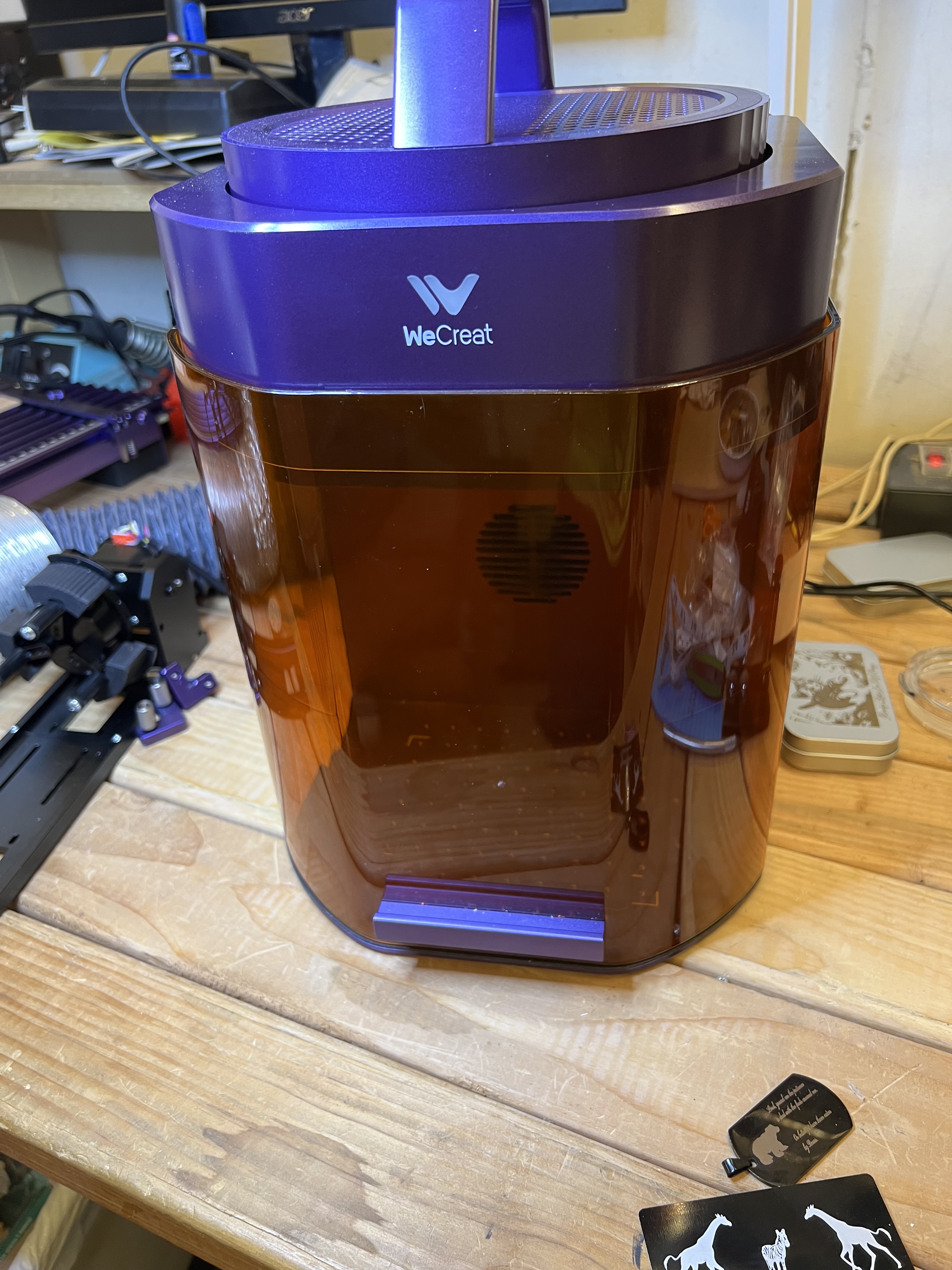
Personally I think it’s a good looking little unit. Certainly the build quality and fit and finish seem to be excellent. The only visible plastic bit is the orange shield in the front. Everything else is solid, sturdy aluminium. The laser head is the circular unit with the handle attached at the top. It is packed separately and must be attached to the base unit but that takes only one bolt to accomplish and takes all of about 2 minutes. That’s the only assembly that is required. Basically you can put this thing together, plug in the power and USB cables, and be ready to go in about 5 minutes. Then just install the software from Wecreat’s website and you’re all set. You could be up and running with this unit in probably fifteen minutes from the time you open up the box and unpack it. This is a far cry from the first laser engraver I bought many years ago that arrived from China as a box of parts, with no instructions.

I won’t keep you in suspense. I’ve been using this thing for over a month now. And I’ve been using it hard. It’s cranked out about 150 challenge coins, several hundred drinks coasters, along with dozens of one-off specialty projects along with just goofing around with it, and it’s never missed a beat. I’m not your typical hobby craftsperson churning out the occasional birthday gift or Christmas ornament. I’ve been using this in a semi-production environment almost since the day I got it. There have been days where it’s been going non-stop for 6+ hours a day sometimes. And it’s worked pretty much exactly as advertised.

Does it have limitations? You bet. Does it have problems? Sure it does. And I’ll get to those. There is no such thing as the “perfect” laser engraver, after all. But this unit does exactly what it’s specified to do and it’s been doing it very well indeed.

First a bit of background. This is what is known as a galvo laser, and by its very nature that means it has both some very significant advantages as well as some equally significant limitations when it comes to functionality when compared to a gantry style laser like my Falcon.

The biggest advantage is speed. Galvo lasers are very, very fast when compared to gantry style lasers. Gantry lasers have the laser source itself mounted on a movable framework that is physically moved over the surface of the work material by belts, pulleys, stepper motors, etc. All of those mechanical gubbins having to move around seriously restricts the speed at which it can work.

Galvo lasers have a fixed laser source. It never moves. Instead there are tiny mirrors in the head that are moved to direct the path of the laser beam itself. Because the mirrors are very small and very low mass, they can be moved much, much faster. And that translates into getting projects done and out the door much, much faster as well. As anyone in business can tell you, time is money.

But that’s also the biggest problem with galvo lasers because that severely restricts the size of its working area. Where my Falcon has a working area of about 13 inches X 15 inches. the Lumos has a working area of only around 115 millimeters square, or about 4 inches.
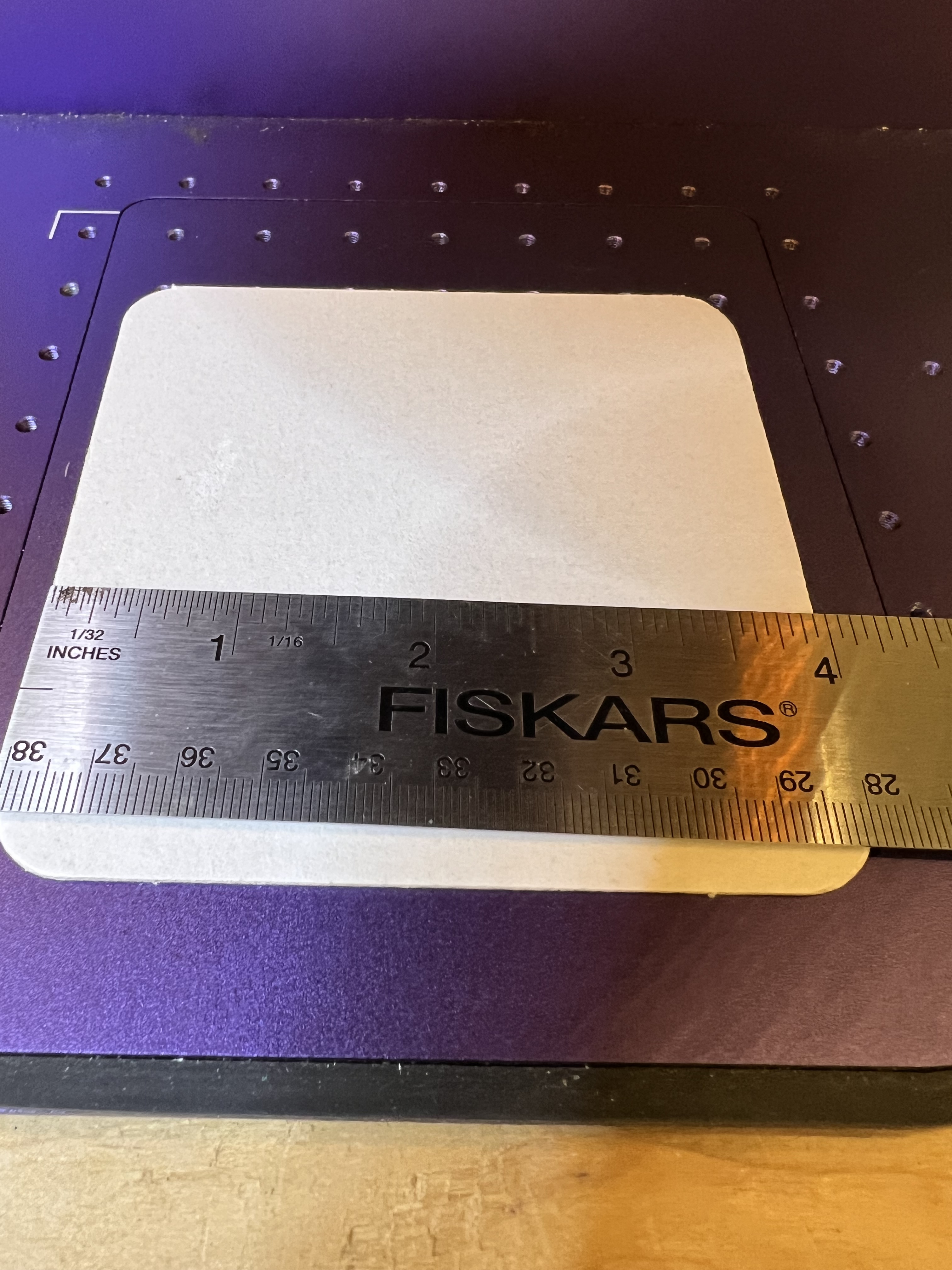
The working area of the Lumos is only about 120mm x 120mm or around 4.5 or so inches square.

Now this isn’t as much of a problem as you might think. The vast majority of engraving jobs I do will fit quite comfortably into that working area. If I need to do something a lot bigger I can either use the sliding table, which expands the working area to around 120X420mm, or if I need to do something bigger still I can use the Falcon.

Speed is where this thing really shines. Let me show you with a short video if I can figure out how this upload thingie works…

Egads, it worked!

Now that engraving on a metal business card took about 30 seconds, all together. The exact same engraving using the Falcon took a good 3 minutes.

Since the video thingie seems to be working let me stick another one in here just for the heck of it. This one takes a little longer because it’s a more complex design but what the heck

I should perhaps point out that these videos are real time, not sped up. It’s really that fast.

(FYI: Those are black anodized aluminum business cards. They’re fun to mess with and they’re super cheap. I get 100 for about $9 on Amazon so I use them for experimenting and just messing around.)

This one above shows the infrared laser in action. Instead of just burning the black coating off the metal card it’s actually etching that design into the metal itself. It’s a bit hard to tell what it is because the video is shot through the shielding but that’s a cat watching Santa’s sleigh flying across the face of a full moon.

It’s that IR laser that made the Lumos interesting to me. That and its very high resolution. It’s the only laser in this price range that I know of that has dual laser sources built into it; a more or less standard 10W blue laser and a 3w IR laser. The standard laser works with the usual materials like wood, plastic, leather, etc. The IR laser has the ability to engrave metal.

If you saw the review I did of my Falcon laser you may remember that I used it to work with metal also. But that was different. The Falcon cannot actually engrave any kind of metal no matter what the hyped up advertising might make you think. It can discolor metal but it cannot actually engrave it. It can also be used for a kind of powder coating. A special material is applied to the metal and the laser’s heat causes the material to chemically bond with the metal to give a very durable result. But that’s not engraving as such. Engraving involves the actual removal of material from the surface of the metal.

I did about a dozen of these little metal Christmas gift boxes with various designs and wording. They’re just the right size for gift cards or small trinkets.
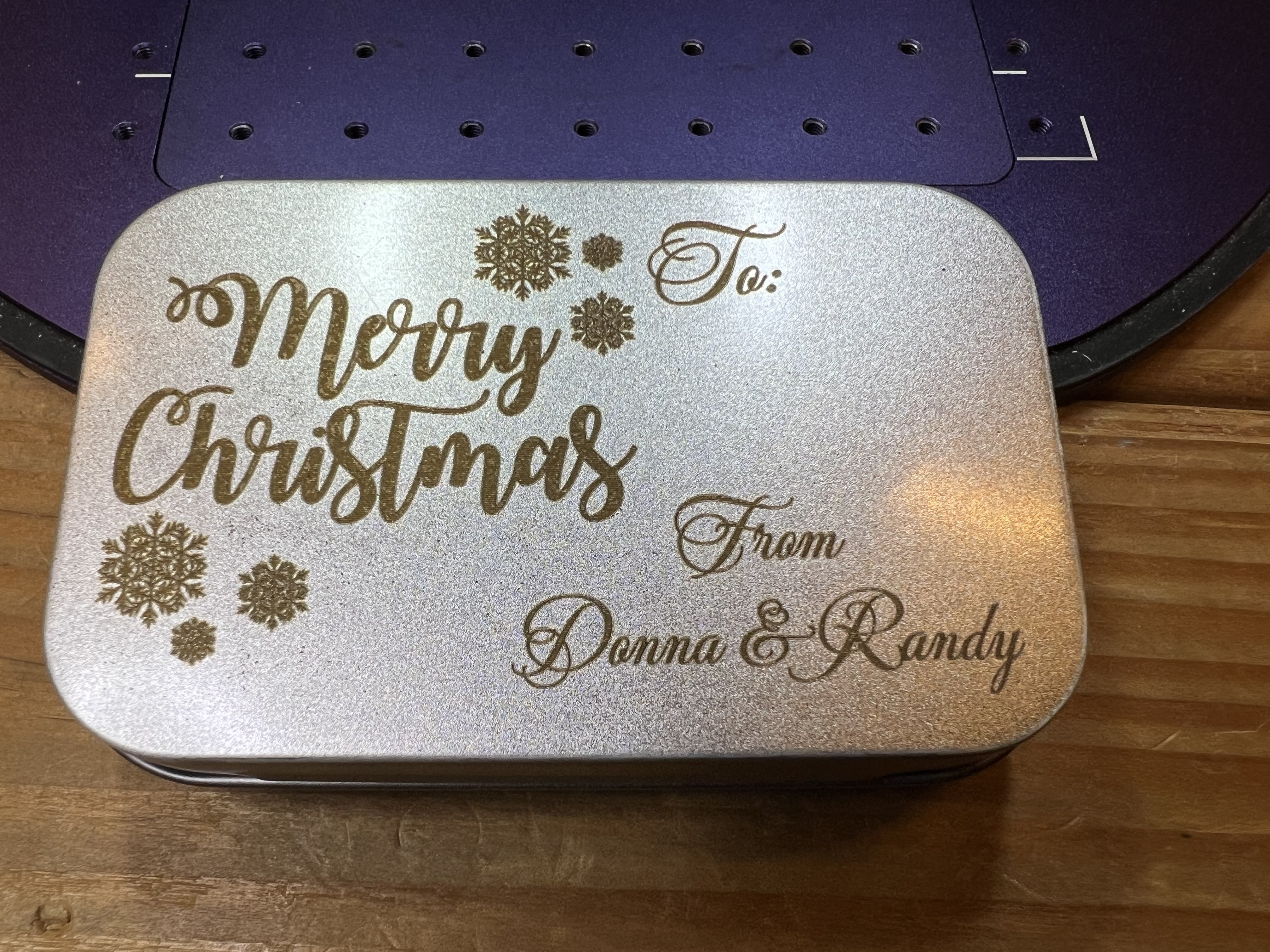
If you’re doing this laser engraving thing as a business, here’s a hint. You can pick up these boxes for about $0.50 each in quantity or even less if you shop around, and people will pay actual real money for these things with a nice bit of artwork engraved on ’em. Better still, take the whole show on the road, set up in a booth or table and do custom engraving on the spot for people. Takes only a minute or two to engrave a name or brief message on one of these.

That’s not just discolored metal, that’s actually engraved into the surface of the metal box.

One thing I’ve been doing for years now is I make a whole line of custom drinks coasters for a brewpub in West Allis. One side has pub’s logo, the other has a (hopefully) humorous cartoon or satirical item. Those dopy things have become ridiculously popular and when I send a new batch down there they’re usually gone in a few hours because the customers steal them. Which is just fine with me because the customers hopefully show them to friends and family and helps get the pub’s name out there and attract new customers. So I do stuff like, well, this, for example:

Nope, I don’t read a lot of manga and even if I did I wouldn’t let it influence my drawings. Nope, no sir… Yeah, right…

Yes, it’s an old joke. I used to steal borrow images from late 19th century and early 20th century public domain sources but I’ve been doing that less and less lately and doing my own because it’s hard to find appropriate images from copyright free sources to match a specific joke. They’re fun, easy to do, and the only difficult bit is the amount of time it takes. With the Falcon doing one of these would take 5 minutes or more. I could cut that down quite a bit but only by sacrificing the quality. With the Lumos it takes about 1/3 of the time or even less do do one of these.

I’m afraid that I’ve been picking on West Allis, the suburb of Milwaukee where the tavern is located, of late. I hope the town has a sense of humor because stuff like these pop up…


Yes, I am ashamed of myself. Anyway I’m showing you these because it would have been difficult or even impossible to do this with the Falcon. At least in any kind of reasonable amount of time. As nice as the Falcon is, it just isn’t fast enough, nor does it have high enough resolution to be able to do a decent job reproducing photos like these up there. Just for the heck of it I did the “vegetable queen” one on both the Falcon and the Lumos. On the Lumos it took about 3 minutes. On the Falcon? It took 10+ minutes. See why I’ve been using the Lumos so much since I got it?

The resolution of this laser is extremely impressive. Look at this test image I did on one of those black anodized business cards.

There’s no way the Falcon could achieve that high of a resolution. The width of its laser is just too wide.

Doing photos with this thing is a blast. It gives near photographic quality results on almost everything I’ve tried it with. Over there on the left is a photo of one of my cats that I took. I cut out the background and imported it into the Wecreat software. I found a bit of scrap cork laying around and lasered it onto that with the diode laser and you can see the results for yourself. The resolution of this thing, both the diode and the IR laser, continues to impress me.

Let’s look briefly at the sliding table. I use the optional sliding table for batch runs all the time. Below it’s set up for doing 4 coasters at a time.
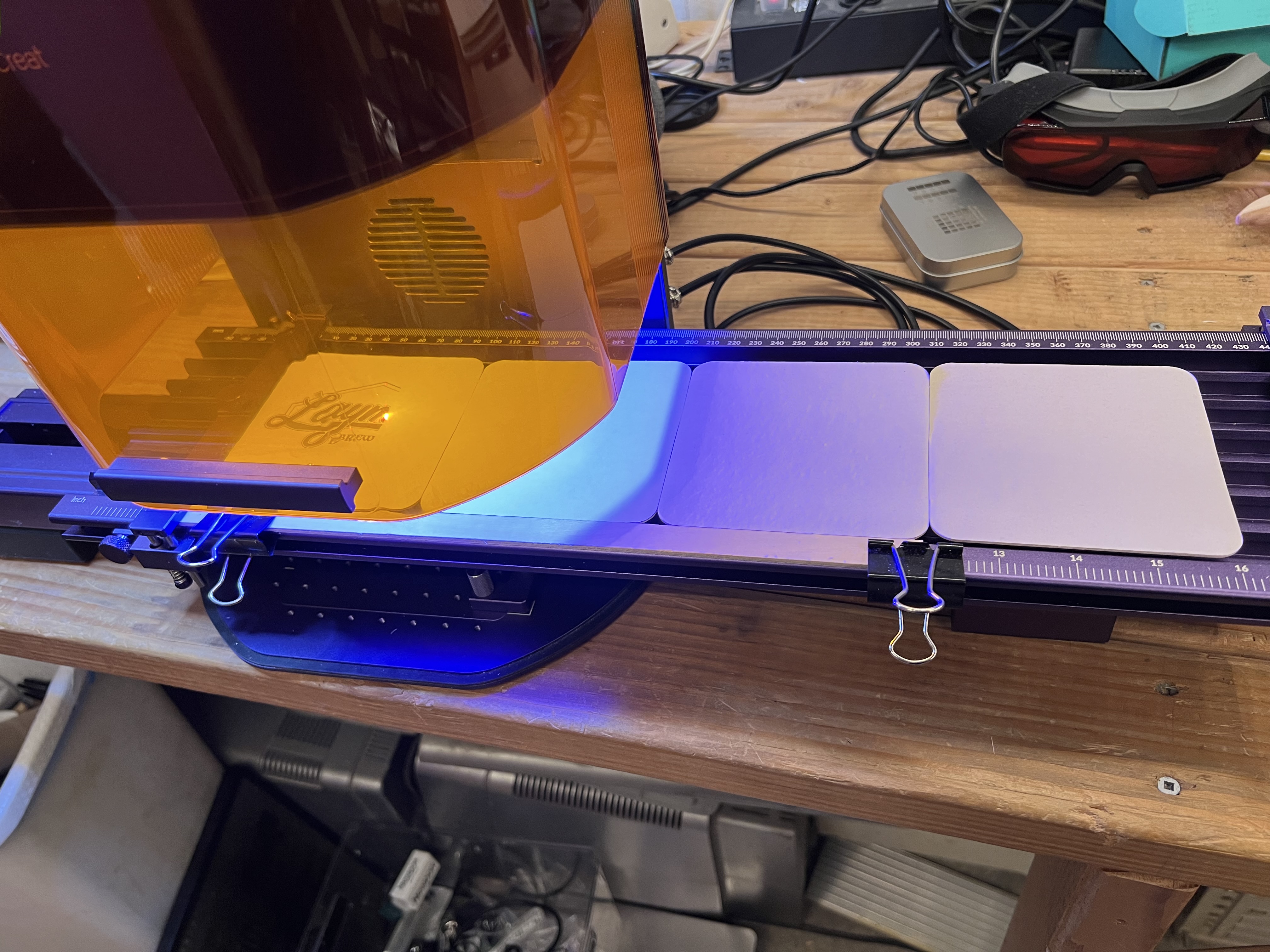
I put 4 blank coasters on the table, start it up and it merrily chugs along for about 10 – 15 minutes doing all 4 of them. Then I reload more blanks into it and start it all over again. While it’s chugging along doing the batch I’m usually working on artwork for the next batch of coasters or some other project.
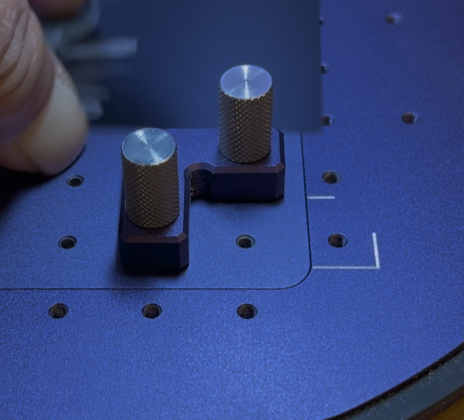
Installing it is about as simple as it gets. Over there on the left you see one of 2 “L” brackets that are included with the laser that screw down into the holes you see on the baseplate. Not only do they serve as makeshift guides to help place material on the bed, they are also used to anchor down the sliding table. The two brackets are screwed down to fit in the white painted line shown in the lower right corner, and in a second one in the upper left corner on the base. Then the sliding table has corresponding holes in its base. Just fit it down over the top of those knurled knobs, plug two cables into the back of the Lumos itself, and it’s ready to go. Takes all of two minutes to install it or remove it as needed.

I also use the sliding table with jigs I make myself (usually cutting them out of acrylic plastic or plywood on the Falcon) to hold small objects. or with guides clamped down to the edge of the table that I use for coasters. Below is a jig I cut from acrylic on the Falcon to do challenge coins 6 at a time.
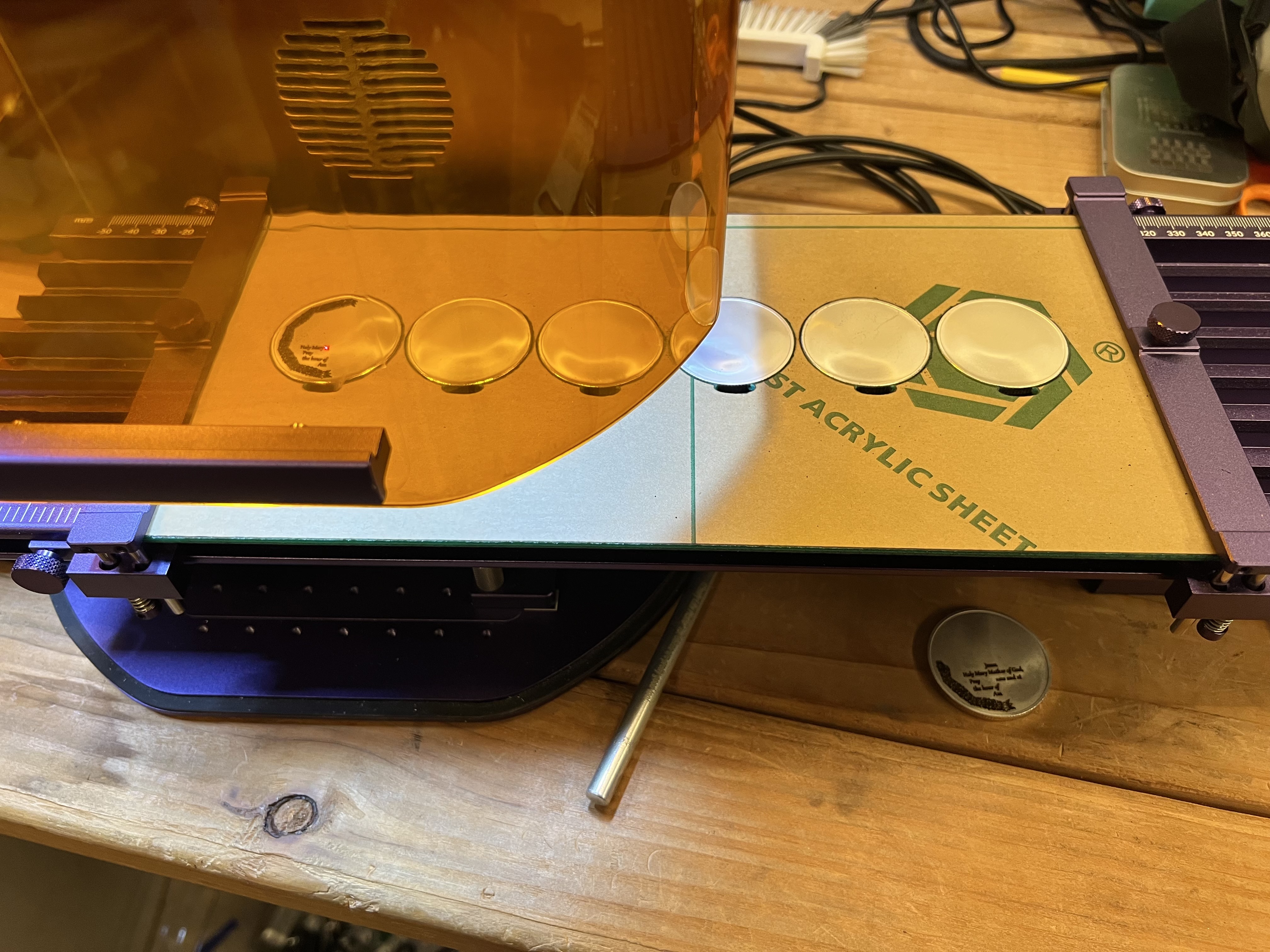
I load 6 coins at a time into the jig, load the appropriate file and start it going. Engraving coins takes a long time though. Depending on how intricate the design is and how deep the engraving needs to be it can take well over an hour to do one side of all six coins. But since I’m working with non-flamable material I can just let it go while I do something else and I don’t need to actually be there the whole time.

The other optional tool you can get for this thing is the rotary tool and I have that too although I’ve only used it a couple of times.
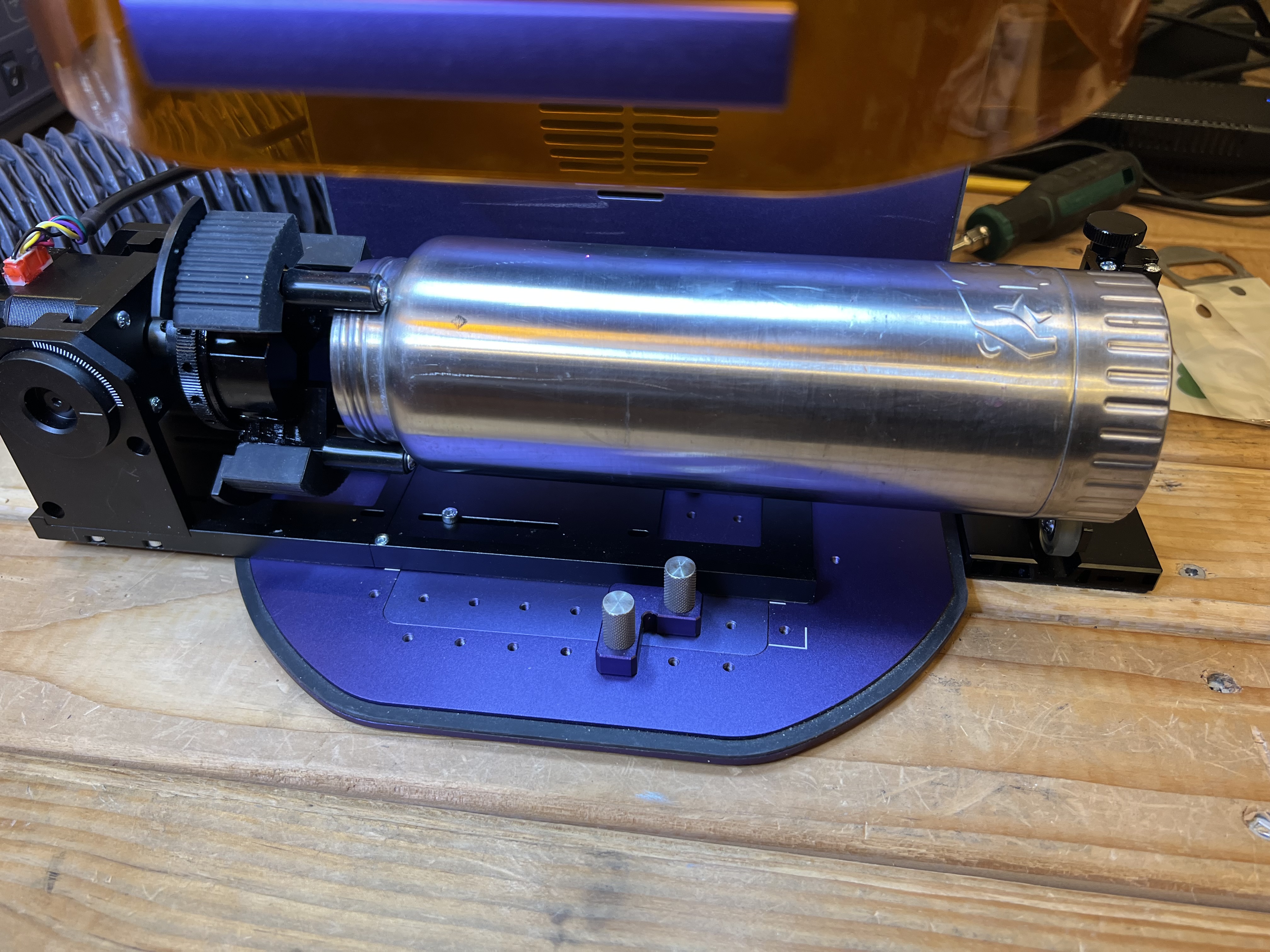
Engraving things like cups, glasses, water bottles, etc. isn’t something I really do but I wanted to do a few items just to make sure it actually worked as advertised.

Unfortunately, unlike the sliding table which is extremely easy to install and use, the rotary is a pain in the neck. It has to be physically bolted to the base of the Lumos with 3 very small screws which you will immediately lose. I did. Fortunately there were extras included.
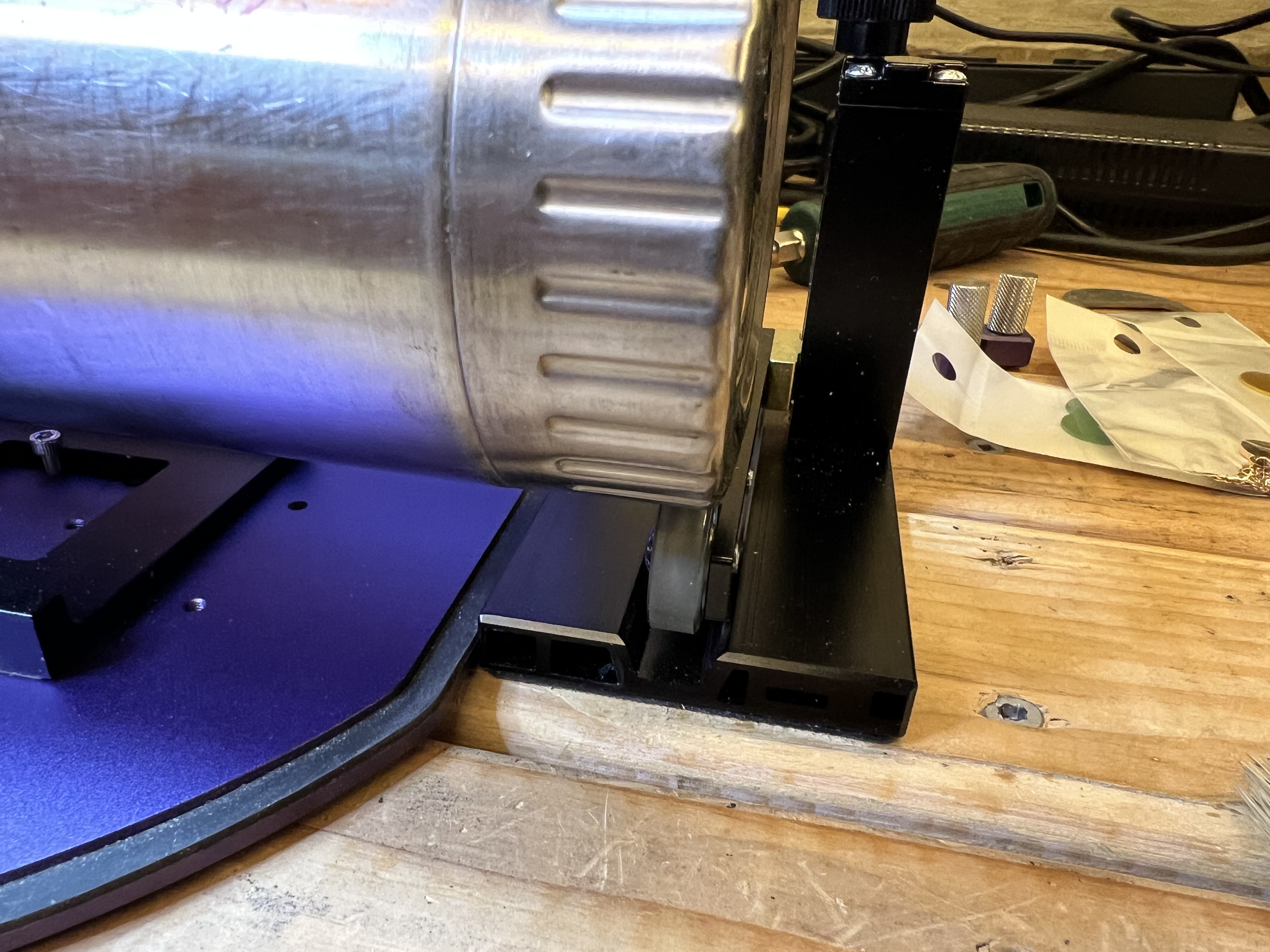
It does work well, however. I tried it just this afternoon using the old stainless steel water bottle I carry on the bike. The kit with the rotary tool includes a height adjustable rest with rollers to support the end of whatever it is you’re trying to laser which was absolutely necessary or the bottle slipped enough in the jaws of the tool to get out of position.

The blotch over the “u” in grouchy is from a defect in the surface of the bottle, not from some kind of glitch from the Lumos.

Once I had it set up it worked quite well. I had no issues with it. Basically it works just like any other rotary tool so if you’ve used one before with a different laser using this one isn’t going to be a big deal.

One thing you are supposed to be able to do is take the top off the sliding table, attach the rotary tool to it somehow, and then then clamp that whole conglomeration to the base of the Lumos and use it to making engravings up to 0ver 400mm long on lengthy round objects, with the rotary tool rotating as needed. and the sliding table moving the whole thing left to right as necessary. One of the advertising videos Wecreat has shows them engraving almost the entire length of the barrel of a baseball bat.

Now that’s a neat trick but me, being the 3rd laziest person in the state… Well I couldn’t work up enough ambition to go through all of the work of half dismantling the sliding table, attaching the rotary to it and then trying to test all of that. I’ll just take their word for it that it works and be done with it.

Overall the Lumos has been excellent. It does exactly what it’s advertised to do and it does it pretty darn well. I’m very pleased with it so far.

I want to talk specifically about metal engraving for a few minutes too. I’ve been using laser engravers for years, but I’ve only had diode lasers that couldn’t engrave metal before, so this was something entirely new to me.

Something like that metal box up there that I pictured doesn’t take very long, a few minutes at most. But if you want to do highly detailed, relatively deep engravings for an object that will have to endure a great deal of handling and wear, it is going to take a long, long time. Let me show you what I mean. Here’s a 30 second clip of it engraving a coin:

See what I mean? When I was doing those coins I’d load up 6 of them in the jig, start it going and then go do something else for an hour and a half or so. All those videos you see on Youtube of people doing deep, intricate engravings in just a few seconds? Sorry, just isn’t happening. Those videos are speeded up enormously. Until you get into lasers in the $4.000+ range you can plan on waiting a long, long time to do a deeply engraved, intricate design on something like a coin.
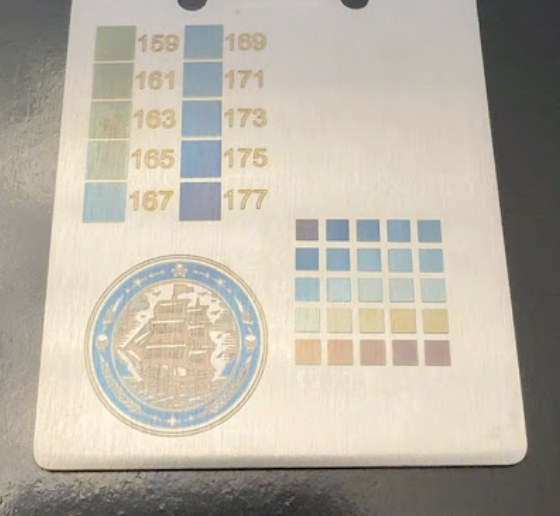
The other thing I want to talk about is that there has been a huge amount of hype with the Lumos and other IR laser engravers about being able to do color engravings on metal, usually showing you pictures like the one over there on the left. If you follow some of the “reviewers” and “creators” or whatever on Youtube, you’ve been led to believe it’s that it is wildly popular with customers, and that it is easy to do stuff like this. It isn’t. IMO it is mostly an interesting gimmick and I had a hell of a time trying to get it to work consistently.
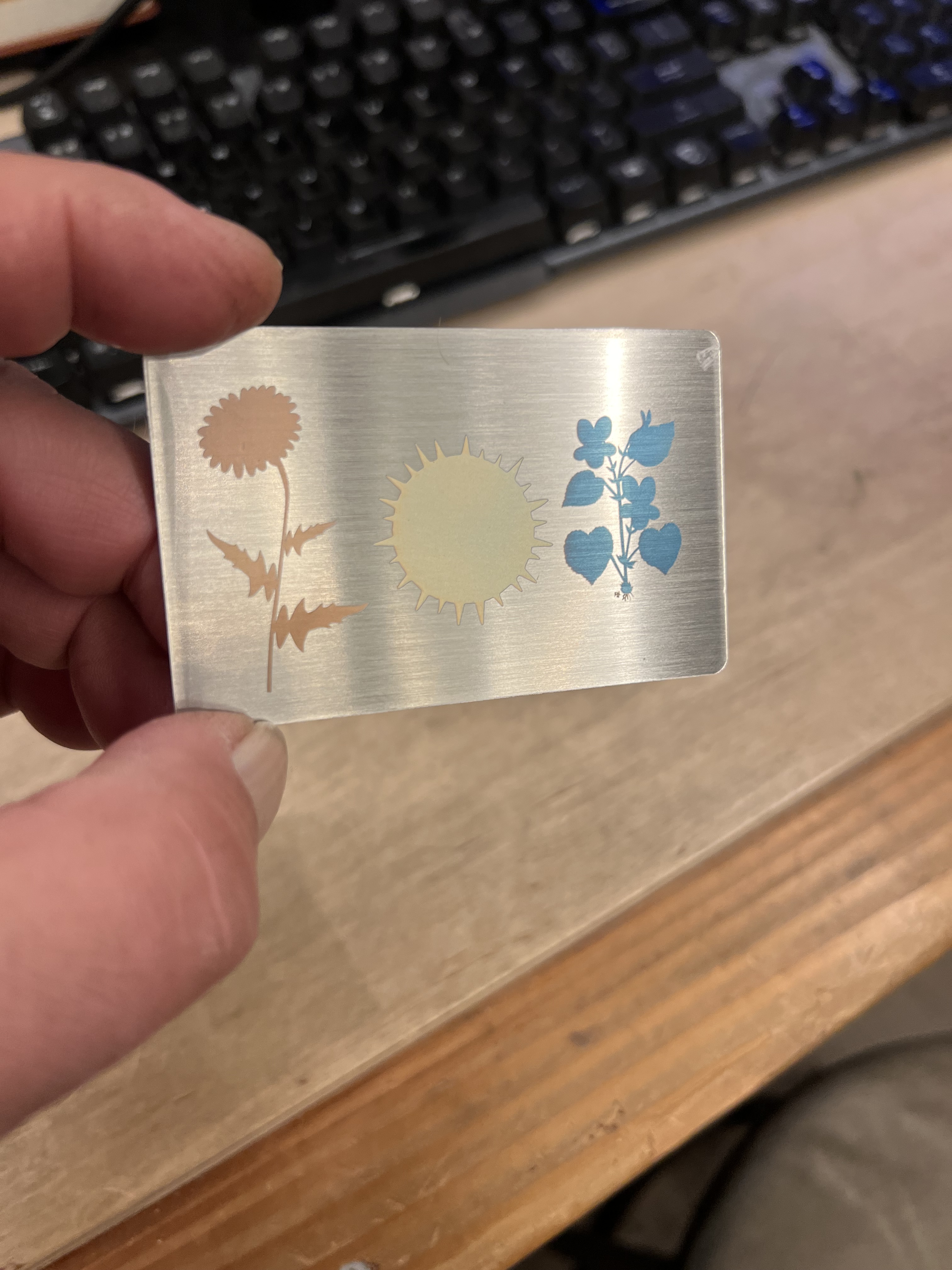
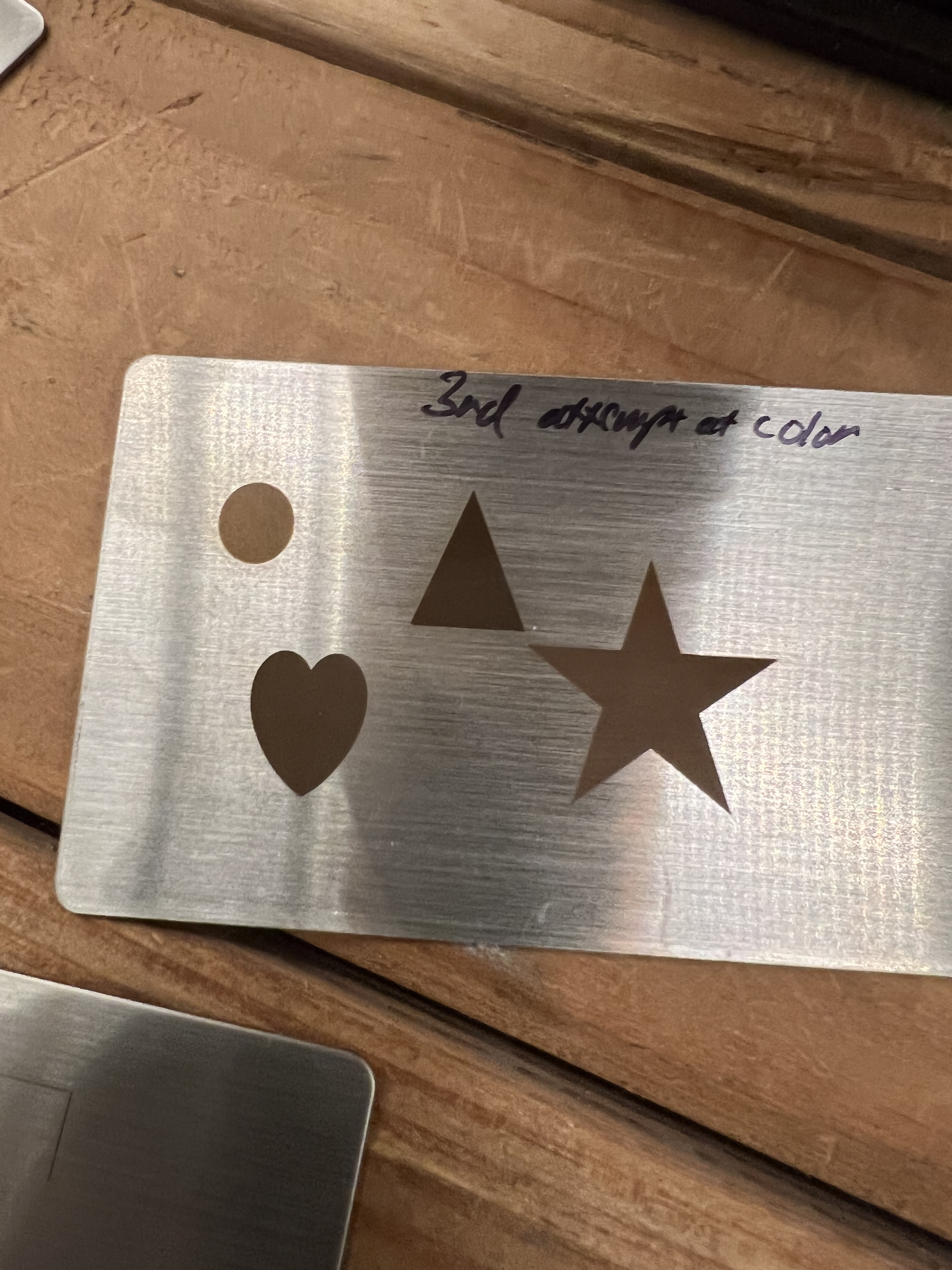
I have gotten this to work and one of my successful experiments is up above. But I burned through a dozen or more of those stainless steel cards before I got results like that. And even that simple design took something like 20 minutes to crank out. More often than not, my attempts to get color turned out looking more like the image over there on the left. Lots of dull browns and grays.

And even more interesting is that these brushed stainless steel cards and a brushed stainless steel bottle opener I had laying around from another job were the only pieces of metal I was able to do this with. Every other attempt using brass, aluminum, copper, and even other pieces of stainless steel were complete failures.

Perhaps I’m doing it wrong, perhaps I don’t really understand how it works well enough to get decent results, but my experiments with getting color have not been encouraging.

And when they have worked the results were never as brilliant as the ones I’ve seen in the ads and reviews, and the process took so long that it wasn’t worth the effort. If you’re doing this as a hobby and aren’t under any kind of time pressure, hey, it’s fun to play with. But if you’re trying to crank out products for sale? The color effects aren’t as brilliant in real life as they appear in the videos. You need to put some kind of clear coat over the top or it will start to fade and even corrode (yes, even stainless steel will corrode over time). And even worse it takes so long to do that I don’t see how this would be cost effective for commercial production.

So let me sum this up. The Lumos is a great little laser. It’s fast, compact, does a nice job. The resolution is excellent. It’s much, much faster than my Falcon. And the price isn’t bad at all. I just saw that it’s down to around $1,000 now, $200 less than mine cost me.

There are definitely disadvantages to lasers of this type, however. There is the small size of the working area, for example. There is the issue of fires to deal with if you’re going to try to cut material with it. I’ll come to that in a minute. When engraving metal it can be very slow. But otherwise I like it a lot and it gets used here constantly.

The Problems

Does it have “issues”, as they say? Definitely.

Let’s talk about fires. Yes, actual, real fire. Whenever you’re using a laser on flammable materials like wood, paper, fiberboard, etc. there is always a danger of fire. This is especially true with galvo style lasers which lack the air assist capabilities that most modern gantry style lasers have.

When trying to cut flammable materials the Lumos can and will start things on fire. It has a built in fire detection system that will shut down the laser, but that’s all it can do, shut off the laser. The burning material will continue to burn until you put it out.

This isn’t the really the fault of the Lumos, it’s just the nature of the beast, as they say. With the Falcon, because it has air assist, I can hit a piece of plywood at full power to cut through it without much risk because the air assist prevents charring and blows out any fires. But that’s not the case with the Lumos. The only way I’ve found to reduce the risk of fire is to use lower power and multiple passes. While it can cut thin wood, etc. this is not the kind of laser you want if you’re going to be cutting a lot of flammable materials.

Sidenote: Smoke and fumes are always an issue with lasers. The smoke and fumes generated from using lasers with almost any material is dangerous and can be highly toxic. Plus, of course, it will set off every smoke detector in your house. The Lumos has a very powerful extraction fan that blows into a large flexible pipe that you can either shove out a window or attach to an extraction fan, like I do. Or you can feed it into a filtration system of some sort. But you absolutely have to do something to deal with the fumes. Unlike other lasers I’ve worked with, the extraction fan on the Lumos is powerful enough that it does a reasonably good job even with the cover open.

As long as I’m on the subject of safety I need to talk about the dangers of laser light to your eyes. Exposure to laser light or radiation can and will damage your eyes. Most of these modern lasers come with some sort of enclosure that has plastics that block dangerous levels of laser radiation. But in the case of the Lumos it is necessary to operate it with the shield raised up in order to use the sliding table or the rotary tool. So you are absolutely going to need eye protection. And unlike every other laser I’ve bought, the Lumos doesn’t come with any. No glasses, no goggles, nothing.

Unless you already have safety glasses, you’re going to need to go buy some if you’re going to use the Lumos with the shield up.

Other things… As I said before I don’t like how the rotary tool attaches to the frame. It bolts not to the actual frame of the Lumos but to the small removable plate that’s inset into the base. That means the rotary tool can be tippy, which is something you absolutely do not want. It’s also very awkward to try to get those fiddly little screws attached to the base. They really need to come up with a better way of attaching it.

My biggest complaint about the Lumos isn’t the hardware, though, it’s the Wecreat software that comes with it. The software has a lot going for it, especially if you’re a “member” or whatever they call it and the AI functions become active. (I suspect that they’re going to demand I pay some kind of subscription fee once my initial membership expires to keep the AI functions working. At this point I’m not sure if that’s going to be worth the expense or not.)

The AI functions are actually quite good. It can generate complete images based on whatever you type in, and it does a reasonably good job of it. The AI can help to “process” imported photos to help get better results as well.

The software does everything it needs to do, pretty much, but it is unnecessarily awkward to work with. Different functions and settings that should all be gathered into one place are scattered all over in different pop up windows and menus for no rational reason I can come up with.

The font search for the text tool doesn’t seem to work at all. I could type in the exact name of a font exactly as listed in the list, and it couldn’t find it. I’d have to scroll through an apparently endless list of fonts to find the one I wanted.

The materials settings were even more frustrating. You can bring up a list of materials and when selected it’s supposed to change the engraving/cutting settings to the ideal settings for that material. This is a common feature with the software that comes with most of these lasers these days. Only absolutely none of the recommended settings actually worked. None of them. I found myself suspecting they just copy and pasted the settings from a different one of their engravers and never bothered to see if they actually worked.

I ended up wasting a hell of a lot of material just experimenting to try to figure out the ideal settings for the materials I was using. If I went with what the software recommended, I’d get results that were so light they were almost invisible or, even worse, that literally started the material on fire.

Copy/paste of objects between different work spaces doesn’t work at all. Select an object in your currently active work space. Create a new work space and click “paste” and… nothing.

The most irritating thing I found with the software is that it doesn’t let you save your designs in any format other than Wecreat’s own proprietary format. You can work for hours designing a nice engraving, and then you can’t save it in a format that will work with a different laser. Even the Falcon from Crealty lets me export a design in .SVG format so it could be used elsewhere.

I’m hoping that a future version of the software fixes this. But at the moment anything that I design in the Lumos software can only be used with one of Wecreat’s lasers, it seems. Be aware of that if you do your own designs. If you only work in the Lumos’ software, you’re locked in. If you get another brand of laser or Wecreat goes out of business, all of the work you put in designing those engravings is going to be lost.

This isn’t a big deal for me because I do almost all of my design work in Photoshop or Adobe Illustrator. Then I export it to a .PNG or .SVG file and import that into the Wecreat software for actual use. But a lot of people, especially hobbyists, don’t have access to those tools and depend on the software that the laser comes with. If you use the Wecreat software to design engravings, you’re locked to the company. If the company goes out of business or if you want to switch to a different brand of laser, at the moment there seems to be no way to move your work over to a different machine.

Supposedly the Lumos is compatible with Lightburn, which is more or less the software package that most professionals and serious hobbyists use these days. I don’t have Lightburn and I’ve never felt a need to get it. I’m quite comfortable using the tools I already have to do basic design work and then import it into whatever software the laser I’m using comes with. However, if you’re planning on doing laser engraving for actual production work for a business, it is something you should look into.

And that’s about it. If I come up with anything interesting in the future while I’m working with this laser I’ll keep you informed.
Laser Engravers: Creality Falcon A1 Review.

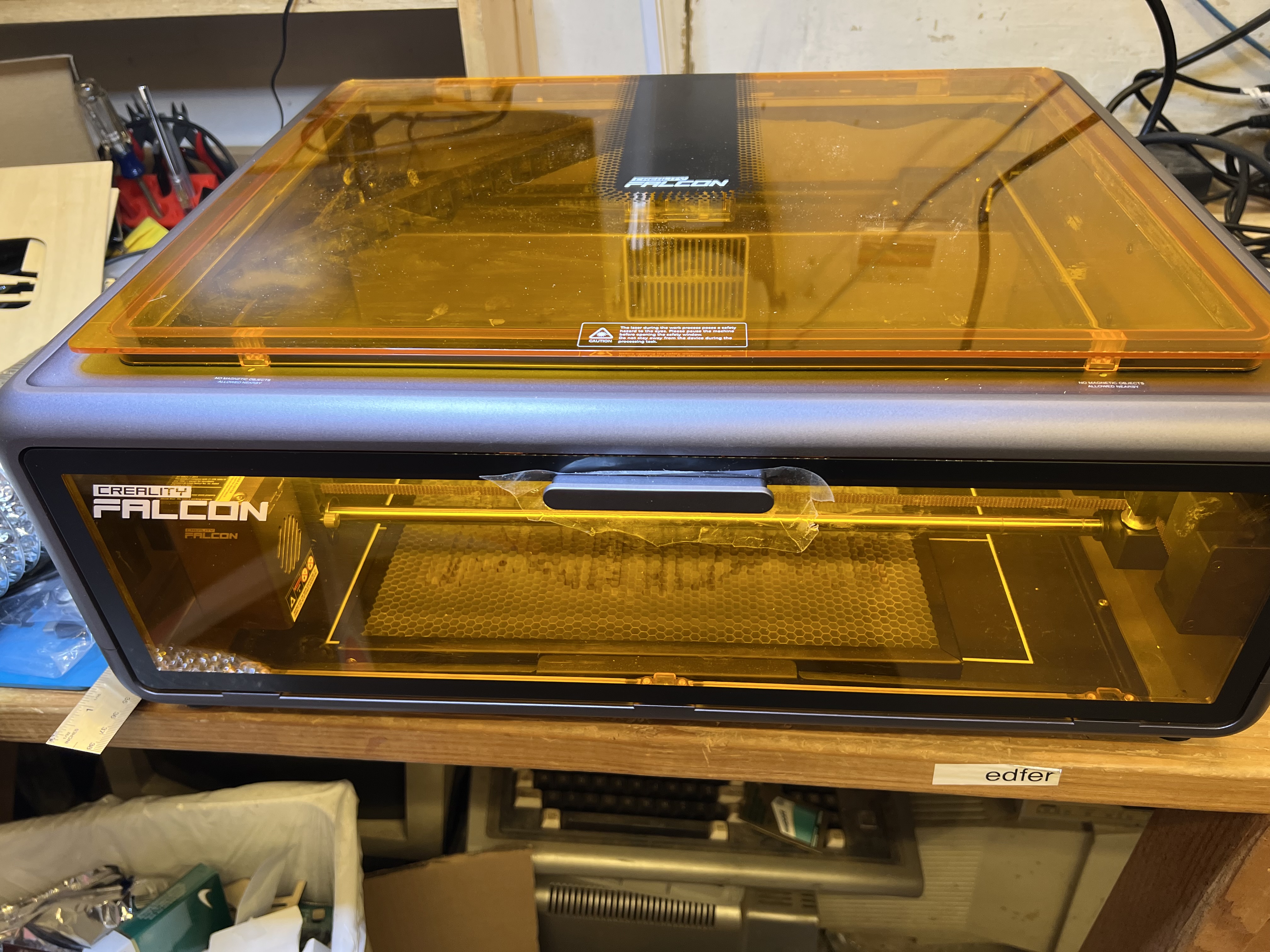
So I want to talk about laser engravers, specifically this beastie down below, the Creality Falcon A1 10W diode laser engraver/cutter. It’s fairly new to the market and hasn’t been on general sale for very long, and except for a few “influencers” on Youtube who got pre-production models for testing or were given one of them for free right after they came out, there haven’t been any real, honest reviews of this thing by people who have actually bought one with their own money and are actually using it, and using it hard, in real world conditions. A lot of you who read this are hobbyists, crafters, woodworkers and the like who tag along here for the rare article that pops up about this kind of stuff, so let’s take a look at this thing.

If you’ve been reading grouchyfarmer for a while, you know I dabble in a lot of things like wood working, wood turning, photography, drawing and sketching, and, yes, laser engraving. The last time I talked about it was some time ago when I was running the LaserPecker. I was using it to crank out little novelty things and it was fun, but it was seriously limited in both size and power and eventually the jobs I had for it dwindled, I lost interest in it and put it up on the shelf.

But recently some people got in touch with me and wanted some stuff done; misc. artwork and some novelty items, and being a sucker, I said I’d look into it. I dug out the old Laserpecker and immediately realized that it was going to be woefully inadequate. I needed something that could handle engravings that were much larger than what the LP could do, and more importantly, I needed something that could actually cut material, which the LP couldn’t do at all. On top of that, the LP was getting tired. It was obvious that the laser’s power was diminishing from the few test runs I did. And even worse, it was slow. Dear lord it was slow. I’d forgotten just how painfully slow it could be. There are much newer, improved versions of the Lasterpecker on the market now, and I briefly looked at the newer versions of the LP and nearly had a heart attack when I saw the prices. The one model that did come close to doing what I needed to do was pushing $3,000 for heaven’s sake!

To make a long and boring story a bit less long (but still just as boring) I ended up with that gadget up there. And by my standards at least, it looked very nice indeed.

It had a generous working size of about 15″ by 12″, which was exactly what I needed. It also looked like it was reasonably fast, simple to use, and the previews I saw were pretty good. And the price wasn’t bad either, about $600. So I bought one and so far it’s been handling everything I’ve been throwing at it and I’m quite satisfied with it so far.

A big plus is that it comes completely assembled. A lot of these lasers, even some of the expensive ones, come basically as little more than a bunch of bags full of parts and screws, and you have to spend hours putting the stupid thing together. No. Just no. With the Falcon I just took it out of the box, removed the packing material, plugged in the computer, the power supply and the air pump, installed the software on the computer, and it was ready to go. I did the first engraving with it literally in less than half an hour after taking it out of the box.

It is fully enclosed, with large, see-thru plastic panels made of material that shield the user from the laser so you don’t have to wear those stupid safety goggles whenever it’s working. There are safety switches on the door that shuts down the laser immediately if they are opened. There’s even a key lock to let you lock it down in case you have kids or others who like to fiddle with things they shouldn’t.

I already have a fume extraction system set up that is used with soldering, the 3D printer, the old engravers, etc. A big turbine fan with 4 inch ducts that sucks everything up and blows it outside.

And because it’s fully enclosed, with it’s own fume extraction fan, it means you don’t have to buy or build your own enclosure to keep it from setting off every smoke detector in the house. Which it will definitely do because laser = burning. You’re firing a high energy laser beam at wood, plastic, etc. It burns stuff. And burning makes smoke and toxic fumes. A lot of it. So you absolutely, positively must have some kind of vent system to get that stuff out of the house. I have mine connected to a high speed turbine fan with 4″ ducts to pull the smoke and fumes out of the Falcon and blow them outside. Unless you can place the unit directly in front of a window or some kind of vent you can run the included hose through, you’re going to need some kind of powered fume extraction system similar to what I have because the hose it comes with is only about 4 feet long when fully extended and the fan really isn’t powerful enough to push the fumes and smoke out when using it hard for burning through something like 7mm wood.

It has a generous working area, as noted above. It can work with material up to about 15″ X 12″. But at the same time it can do extremely accurate, extremely tiny engravings with no loss of detail as well.

Fourth plus, it’s reasonably fast. Much, much faster than the old Laser Pecker was. Let me give you an example. Here’s a video of the LP at work.

That disk it’s engraving is small, only about an inch and a half across. So yeah, that’s slow. Painfully slow. When I got the LP originally I was fairly new to this and didn’t realize just how slow it was. I know better now.

For comparison, here’s the Falcon A1 at work doing a fairly intricate engraving.

As you can see it is much faster. What it’s engraving up there is more than twice the size of what the LP is doing, and it is much, much more detailed. I didn’t sit down with a stopwatch and time things, but at a guess the Falcon could do three of those very fine, intricate designs in the time it would take the LP to do a relatively low resolution, simple design on that little disk.

It even cuts wood reasonably fast, faster than the old LaserPecker did engraving alone. Here’s another video showing it in action cutting. It just finished the engraving job in the first video up there, 12 key fobs for the brewery, and now it’s cutting them out.

It’s difficult to see because of the tinting of the plastic shield but if you look closely you’ll see clouds of smoke billowing up from underneath the wood.

Pretty slick. That’s not very thick wood, true, that’s only about 1/8″ thick plywood in this case, but it slices through it with no problem at all. Oh, and in case you’re interested, over there on the right is one of the key tags after it came out of the laser, before finishing. I just hang ’em up on some wire in the garage and put a couple of coats of a clear polyurethane. I get 12 of those out of a single sheet of 1/8 inch thick, 12″ x 12″ pre-sanded plywood.

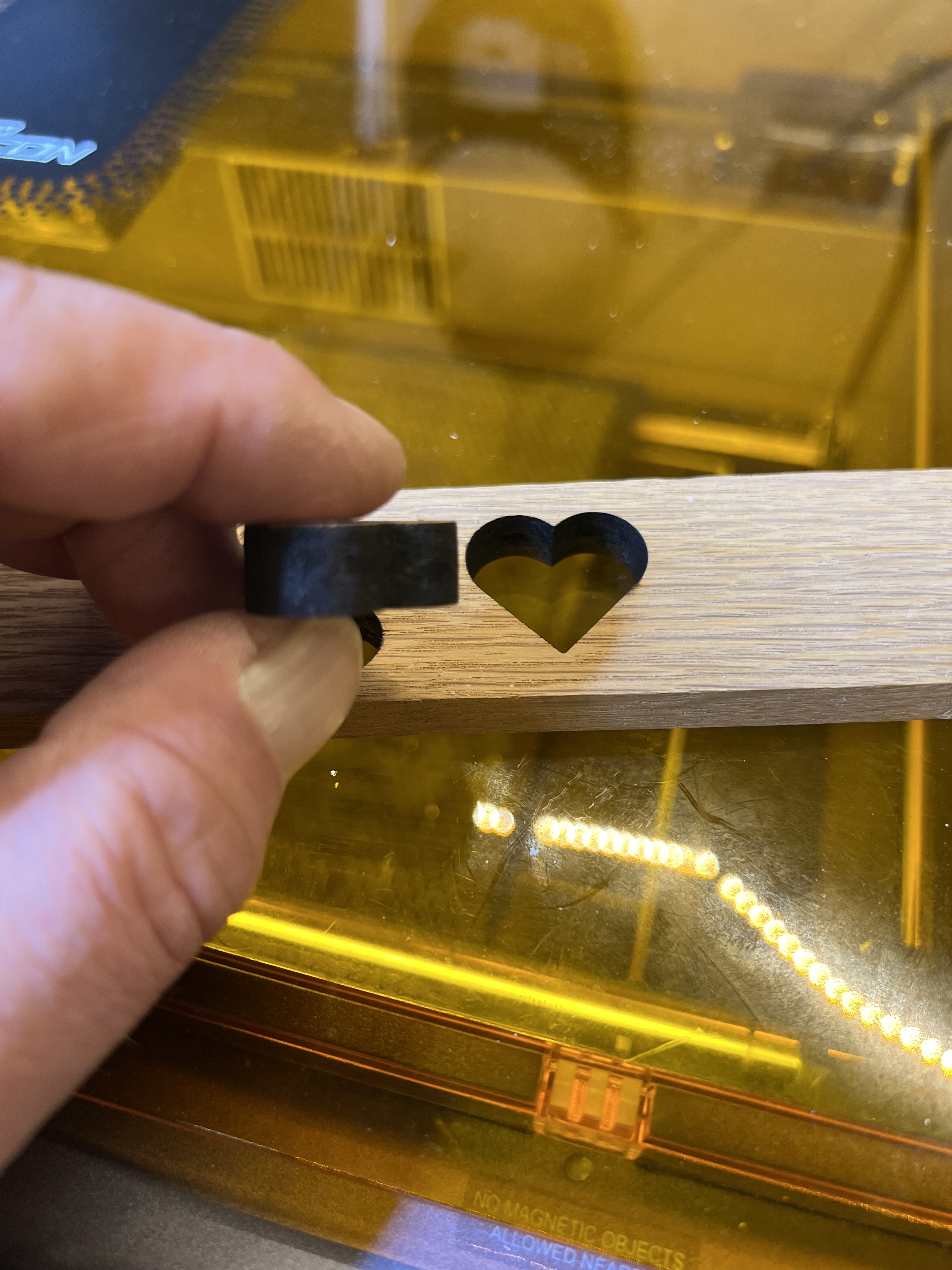
I started wondering just how thick it could go and threw in a piece of white oak scrap 3/8″ thick for the heck of it, and it did that over there on the left. I admit that it struggled a bit to do it. I had to slow the feed rate way down, but it still did it. Most of the time. Depending on the density of the wood I sometimes had to do two passes, but it cut it. I didn’t think a 10W diode laser could do that.

It can’t perform miracles, of course. Wood much thicker than that piece over there on the left is going to be just about impossible to cut no matter how slow you go or how many passes you make.

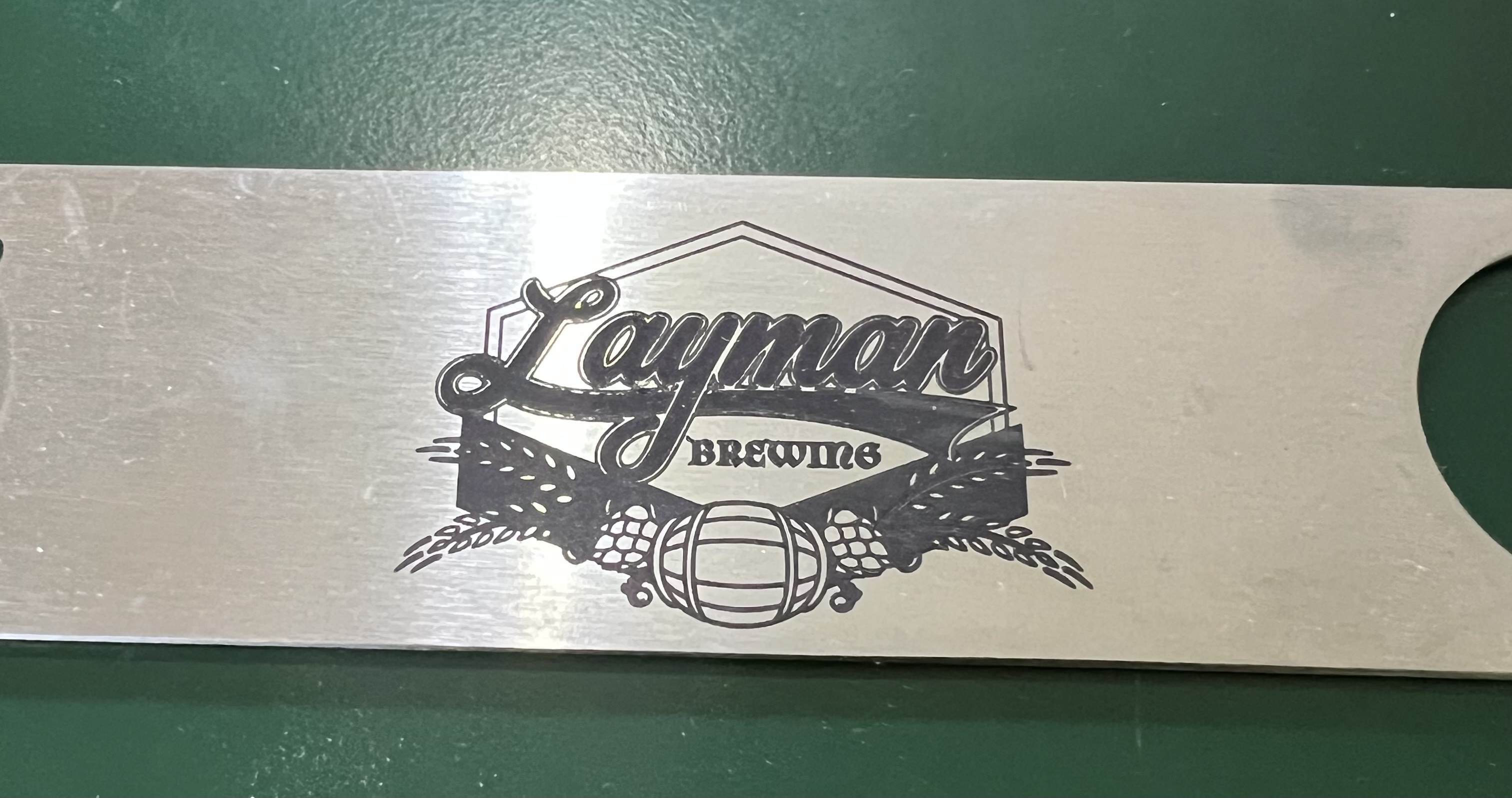
It can’t engrave metal. No low power, 10W diode laser can do that no matter what the advertisements may claim. It can’t cut even thin metal foil. You can use special coatings to get results like that over there on the left. That’s a stainless steel bottle opener. I did some of those as promotional items for the brewery down in Milwaukee. Yes, it was done with the Falcon, but that’s not engraved. It’s a type of powder coating. A special coating is applied to the steel, then the laser is run over it to melt and fuse the ceramic particles with the steel underneath. It is an extremely tough coating, too. Even scrubbing that with one of those abrasive “Scotch” pads won’t hurt it. It works way better than it has any right to, but it is not “engraving” as such.

The software that comes with it is reasonably decent, but could be much better. It can handle the basics of controlling the laser, but as a design environment it leaves a great deal to be desired. That’s fine for me because I use PhotoShop or Adobe Illustrator for all my design work anyway. You can do simple drawings, text, etc, import images and vector graphics, with the software it comes with, but it’s pretty basic stuff. You’re probably going to want to have an actual, real drawing program, something like Illustrator or something similar, to design/edit your graphics and then import them into the Falcon’s software to do the engraving/cutting.

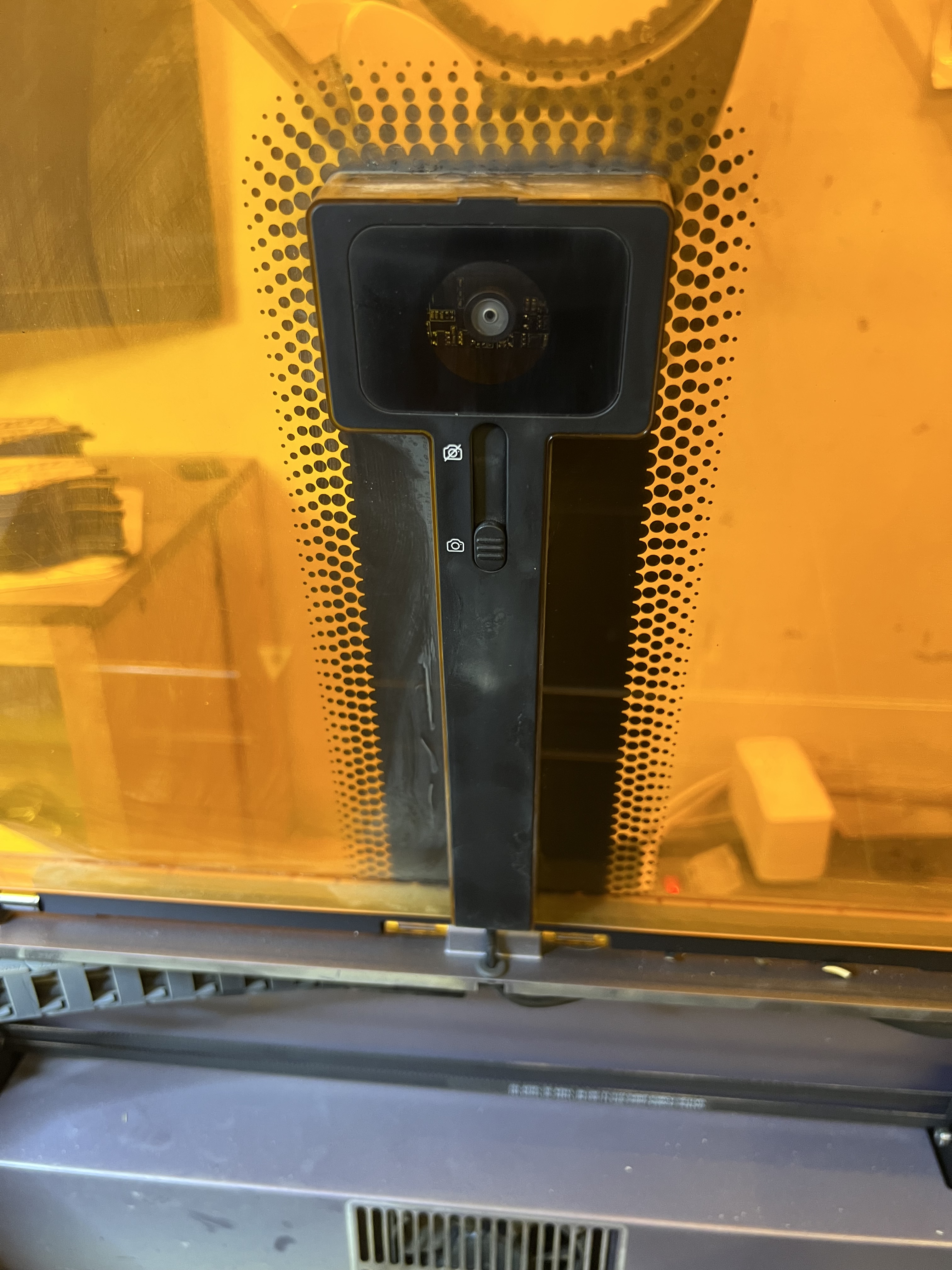
There is a camera built into the lid of the machine which… Oh, heck, I was going to say it was a gimmick but it can be useful for aligning your drawing with the material you’re using. Sort of. You still want to use the good old fashioned “frame” function to have the laser head physically outline the engraving area before you actually start the engraving to check the alignment because the camera isn’t exactly the most accurate one I’ve ever seen. Even after going through the camera alignment procedure several times, it is still not 100% accurate, especially when close to the edges of the working area. So even when the camera is being used, you’re still going to want to use “frame” to check the alignment before starting a burn.

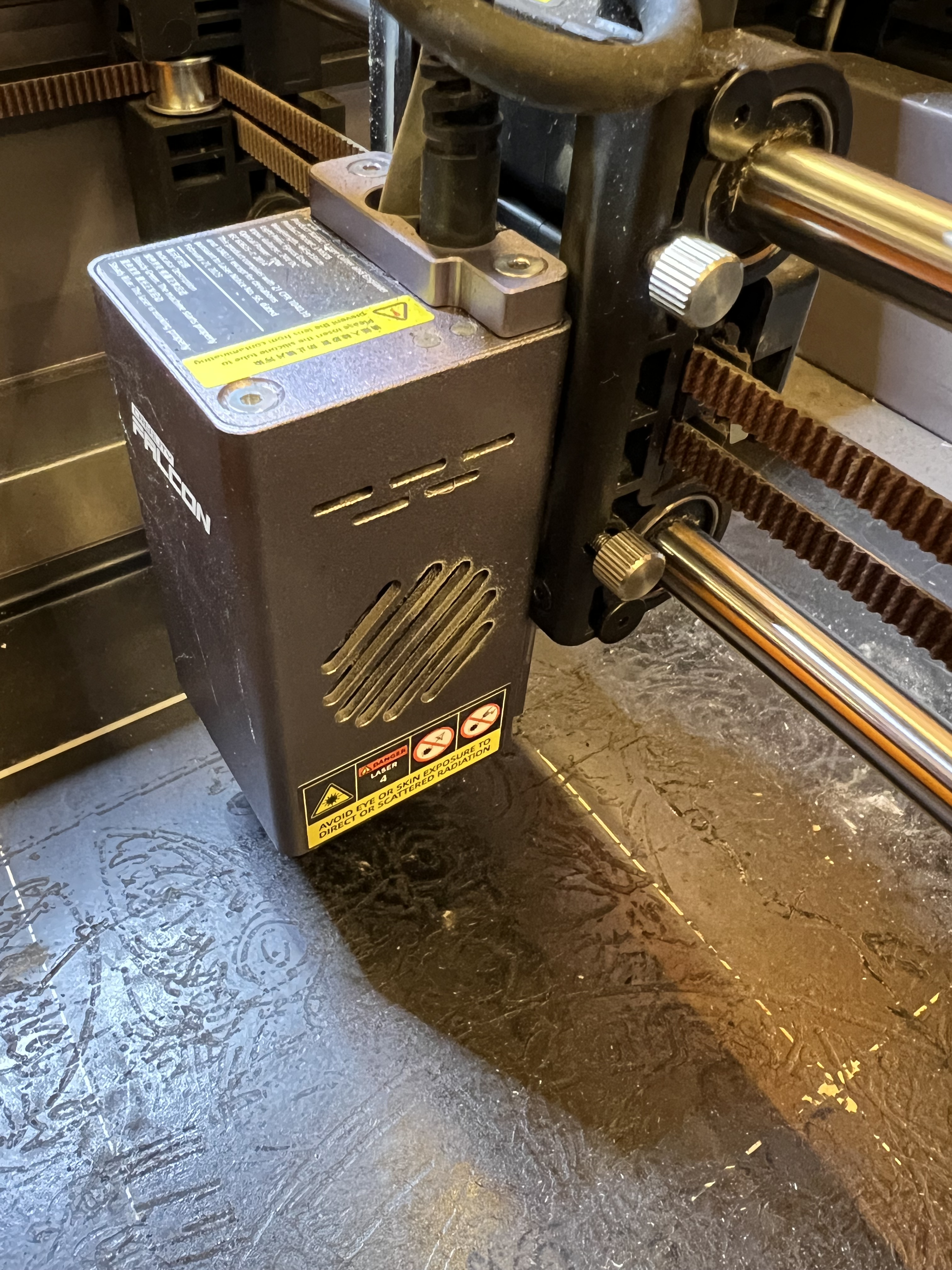
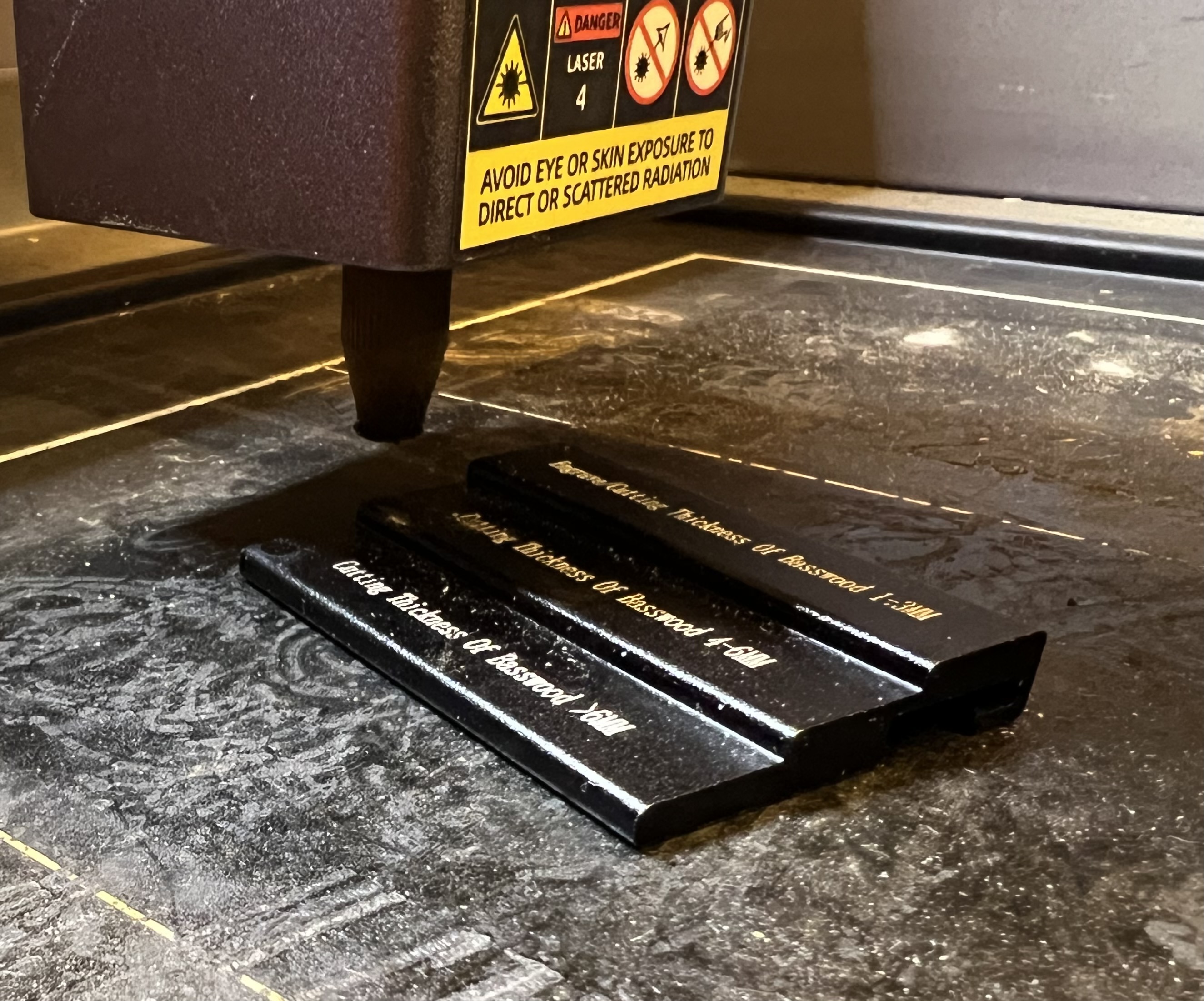
In order to work efficiently lasers need to be focused. The height of the laser above the item being engraved or cut needs to be set so the maximum amount of energy is delivered to the smallest possible area. As is the case with most of the lower priced laser engravers, this is done on this one by loosening those knurled knobs there on the right and manually raising or lowering the entire laser head up or down. Creality includes a little stepped alumium block specifically to help with the focus. Just lift the head up, lower it down until the nozzle touches the desired step on the block and tighten the knobs. Takes only a few seconds.

Let’s talk about that baseplate for a moment. Some people call it a “crumb tray” and I suppose it is, in a way. It catches bits of whatever it is that you’re cutting. It is also there to protect the table you have the engraver sitting on from the laser, and to help contain smoke and fumes to make it easier to extract them before they get into your house/shop. Even though the base plate is screwed down when it comes from the factory, you’re going to want to remove the 4 screws that hold it down so you can remove the tray easily for cleaning. You’ll also need to remove it and install risers on the base of the machine if you want to use the rotary attachment.

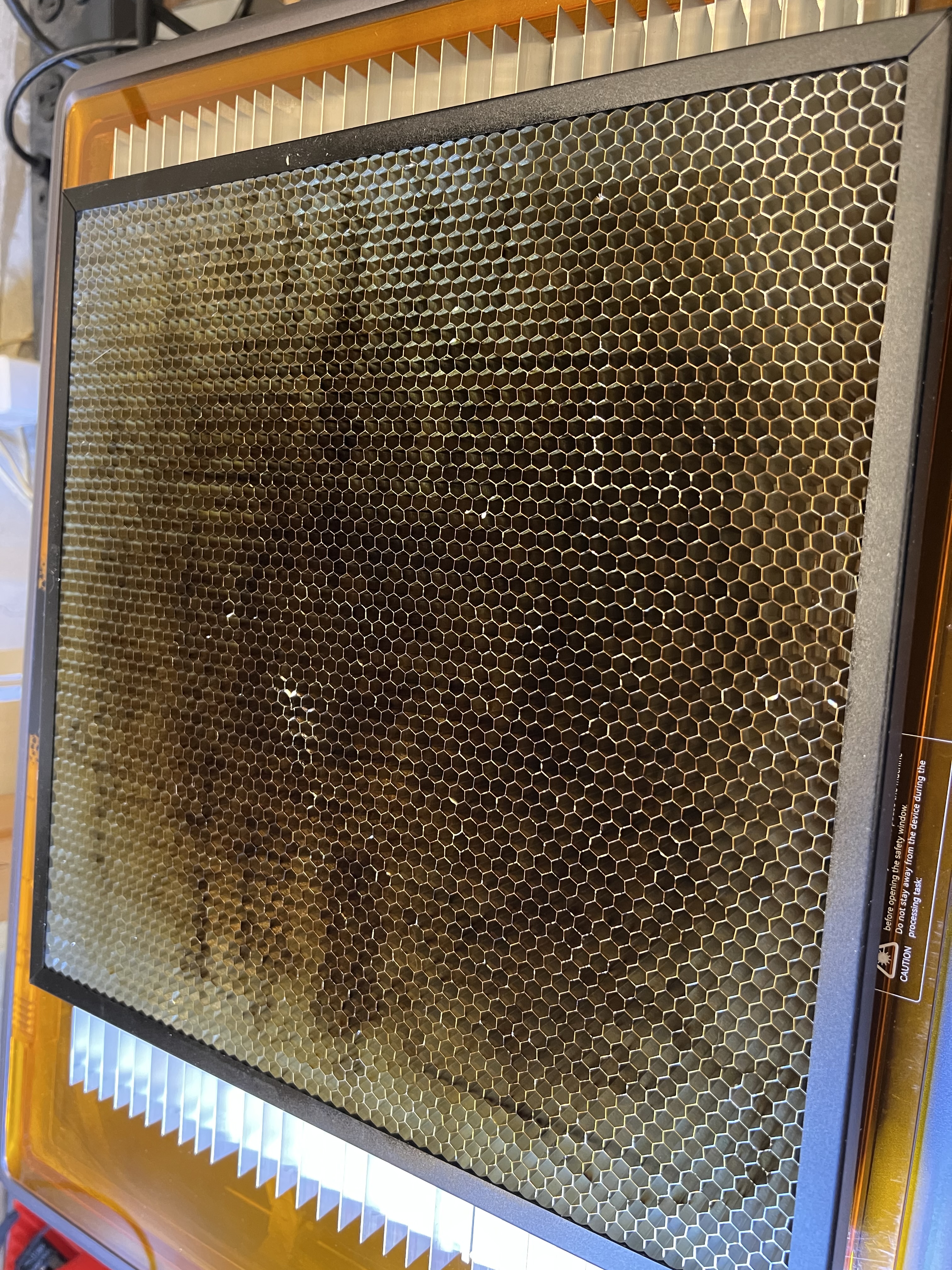
If you take a close look at that base plate or crumb tray, you can’t help but notice how beat up it looks. It’s charred, burned, covered in cooked on carbon and tar from burning wood and is just plain nasty. The reason why is because when cutting wood, that laser beam burns straight through the material and directly impacts that plate. One thing I ding Creality for is not including a honeycomb work platform like the one below with the A1.

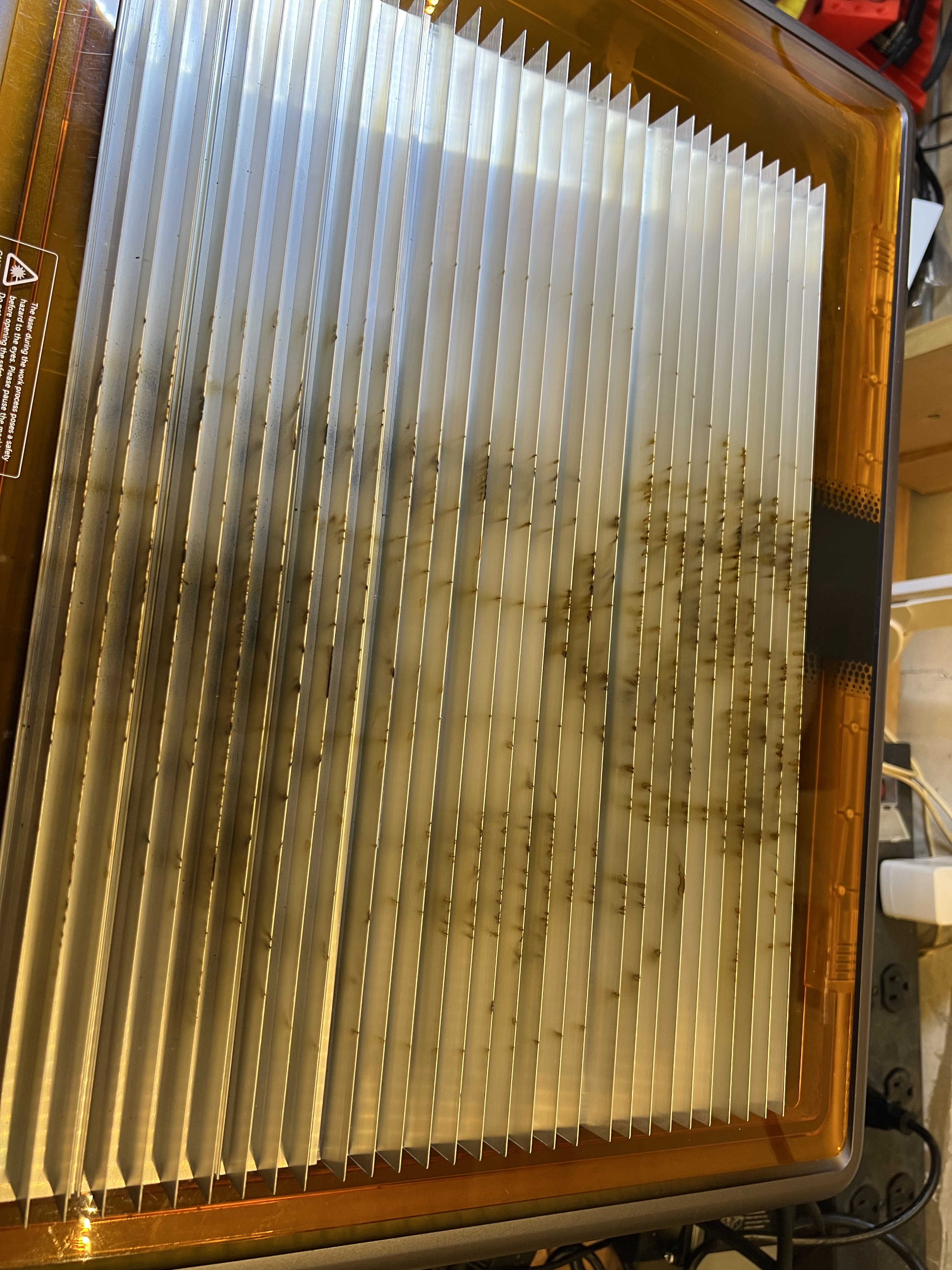
If you’re going to be cutting anything with a laser, you absolutely need something like this, or something like this extruded aluminum one below that is what I’ve come to favor more.

Notice the scorch marks, carbon build up and even outright damage that’s already been done to that aluminum grid up there from just a few hours of use with only a 10 watt laser.

And you absolutely need something like this if you’re cutting material with a laser. It helps to prevent flashback that can damage your material, helps with fume/smoke extraction, helps dissipate heat that might cause your material to warp, etc. Especially flashback. This is where the laser burns through the material, hits the underlying surface, and reflects back up to damage the backside of the material you’re working with.

IMO every laser that is capable of cutting material should come with one of these. I’ve come to prefer the extruded aluminum one but the honeycomb version works just as well.

Okay, let’s wrap this review up. You have probably realized that I really like this unit. I’ve been using it and using it hard since I got it. It’s got dozens of hours on it already in just the few weeks I’ve had it, and it’s handled everything I’ve thrown at it.

The good:

  • It come fully assembled, nothing to bolt together. Just unpack it, connect the wires and tube for the air pump and go.
  • It’s simple to operate. Even a novice should be able to get it up and running within an hour or so of unpacking it and setting it up.
  • Build quality is excellent. Fit and finish is superb. It’s made of quality materials and is very sturdy and well designed. No squeaks, no rattles, nothing. Everything was square and level right out of the box.
  • While it’s rated at 10W of power, it works far better than its wattage would indicate. It easily handles cutting dense plywood up to 1/4″ thick and was able to cut through 3/8″ thick solid white oak for heavens sake. I have to slow the feed rate way down, of course, but that it cuts material that thick cleanly is impressive for a 10W laser. Of course the air pump helps enormously with that. It makes a huge difference. But a 10W laser cutting thick wood that easily is still impressive.
  • It is fully enclosed which makes both fume/smoke extraction and eye safety far easier. Safety switches prevent the laser from operating if either of the covers are open, so you don’t have to wear eye protection when it’s in operation.
  • It is reasonably fast, at least as fast as any other laser in its price range.
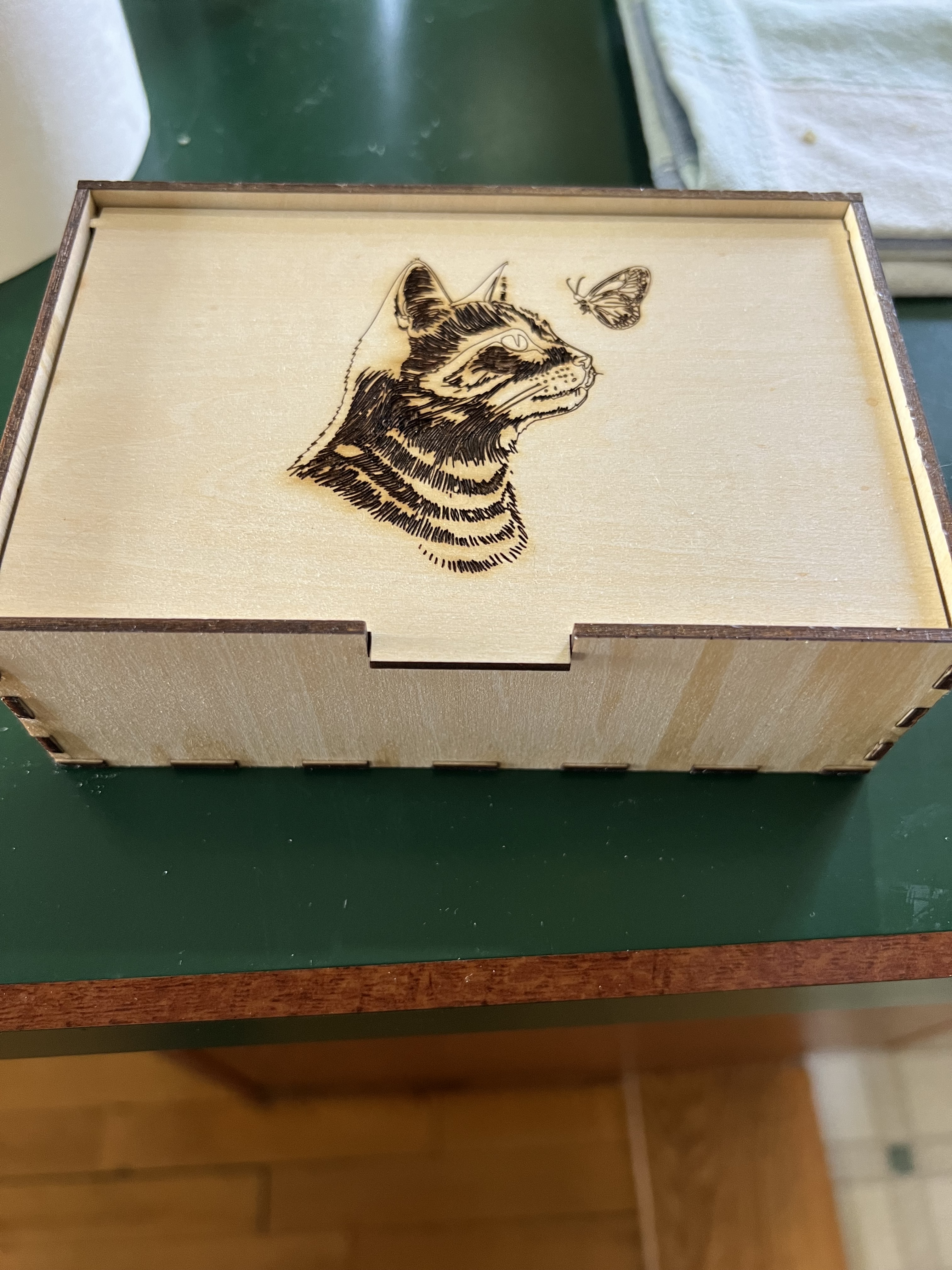
  • Laser positioning is extremely accurate and the thickness of the kerf (the amount of material actually removed when cutting) is so tiny that finger joints when making boxes were so tight the box up there on the right didn’t need glue to hold it together. This also results in extremely fine engraving lines.
  • It is LightBurn compatible. LightBurn is the software that most professionals use to run laser engravers/cutters. Some makers, for reasons I’ve never understood, try to make their equipment as proprietary as possible, locking you into using their software and their’s alone. I don’t use it myself, the basic functions of the software it comes with are just fine for me and will be for most people. But being compatible with Lightburn is a big plus.
  • So far it has been absolutely rock solid dependable. I got this thing back on April 10. It is now May 23 as I write this and the Falcon has been running 4 – 7 hours a day, almost every day, since I got it, without missing a beat. That’s probably far more usage than it would get from the usual crafter or hobbyist user. It’s been a real work horse so far.

The bad, and yes, there are a few things.

**Last Minute Edit**

I said that there is no manual for the software originally. That’s recently changed. They now have a manual for the software online at: https://wiki.creality.com/en/laser-engraver/software-manual Even better it isn’t actualy horrible. Mostly. It’s at least good enough that you’ll get the basics down before you start using it. You’ll still need to do some experimenting I suspect.

  • The lack of error reporting, either via a display on the unit itself or at least via the software, is troubling. There is basically no way to figure out what’s wrong if something does glitch. About four times now the unit has not responded when trying to engrave something. it just sat there beeping. I have absolutely no idea why. In each case turning it off, waiting a couple of minutes, then turning it back on, cleared whatever the problem was.
  • while I give them credit a built in fan and a vent hose to provide some fume extraction, the fan built into the unit really isn’t strong enough and the provided hose isn’t long enough to do you much good unless you have the unit parked right in front of a window. If you can’t put it in front of a window, you’re going to absolutely need some kind of supplementary fume extraction method to get the smoke and toxic fumes out of your workspace.
  • It absolutely should come with a honeycomb bed for cutting. This is, IMO, an essential item and it should come with one out of the box, it shouldn’t be an extra cost option.
  • Calibrating the camera is a pain in the neck, and requires you to waste an entire 12X12 sheet of wood or cardboard. Even worse, even after following the instructions explicitly multiple times, the camera positioning still is not accurate, especially when you get farther away from the center of the workspace.

Conclusion – I’m sort of nitpicking here with the “con” listing. None of those things are really a deal killer. Creality got a lot right with this thing. The price point and capability of this aims it squarely at people who are at the point where they’ve outgrown the cheap, slow, open frame beginner’s engravers that are really not good for much except for messing around, and who are ready to move up to something that is a serious tool that can do serious work, but who can’t afford or who aren’t ready yet to drop a couple of thousand dollars on a professional level laser. I don’t know how well the Falcon A1 would hold up in a professional production situation, but I’ve been using this thing hard since I got it, working it far harder than the average hobbyist would, and it’s handled everything I’ve thrown at it.

The Usual Disclaimer: I get no financial compensation from Creality or any other company. I purchased the Falcon A1 at full retail price with my own money. I’ve had no contact with the company at all.

Weather, Transfer Switch, Misc. Stuff and The Great Solar System Build

This is what I woke up to the other morning. Sigh… It’s March. It should be getting warmer out. Instead we get this???

The weather here in Wisconsin can get interesting, to say the least. Mostly it’s fairly pleasant up here, but sometimes things get weird. Like blizzards in May. Or the Great Frog Storm of 1956. (That one was scary.) This winter has been remarkably mild with very little snow. Well very little snow until now. I think we got more snow in the first 2 weeks in March than we did during the rest of the winter combined. Now we’re under a storm warning for tomorrow and could get another 5 – 8 inches of snow. Sigh…

But let’s get on with this. I’m sure you have better things to do than listen to me rambling along. I know I do. (Looks at calendar… Well no, it seems I don’t have better things to do. Never mind.)

I thought I was done talking about solar and power systems and all of that for a while. I should have known better because here we go again. That transfer switch I was talking about last time is now installed and working. The kit had everything necessary and installing it is pretty simple. It took maybe an hour to install the whole thing. (Do I really need to include the disclaimer telling you not to go fiddling around with your house’s electrical service because you can get killed if you don’t know what you’re doing?)

Circuit tracers aren’t hugely expensive, this is the one I have and it sells for about $50. If you have kids they make great circuit tracers. “DAD! What did you do??? The Playstation shut down and I didn’t save my game!!!”

It took some time to track down what breakers powered what. A variety of electricians have been in that panel fiddling with things in the years we’ve lived here and not all of them were careful about labeling what they hooked to what, it seems. I was upset by that because these guys are supposed to be professionals. You don’t just shove a new breaker into a panel, hook it to something and leave it unlabeled. Or, even worse, change an existing circuit and then not note down what was changed. I ended up spending a good hour with a circuit tracer running around the house testing outlets and lights before I could even start installing the transfer switch. Fortunately only two or three were mislabeled but that was still concerning. I got out my little label making thingie to make nice, neat labels, only to find my label making thingie didn’t work. (Yeah, it’s been one of those weeks so far. The label maker, the mislabeled circuits, a crimping tool designed to crimp MP4 connectors doesn’t actually crimp things…)

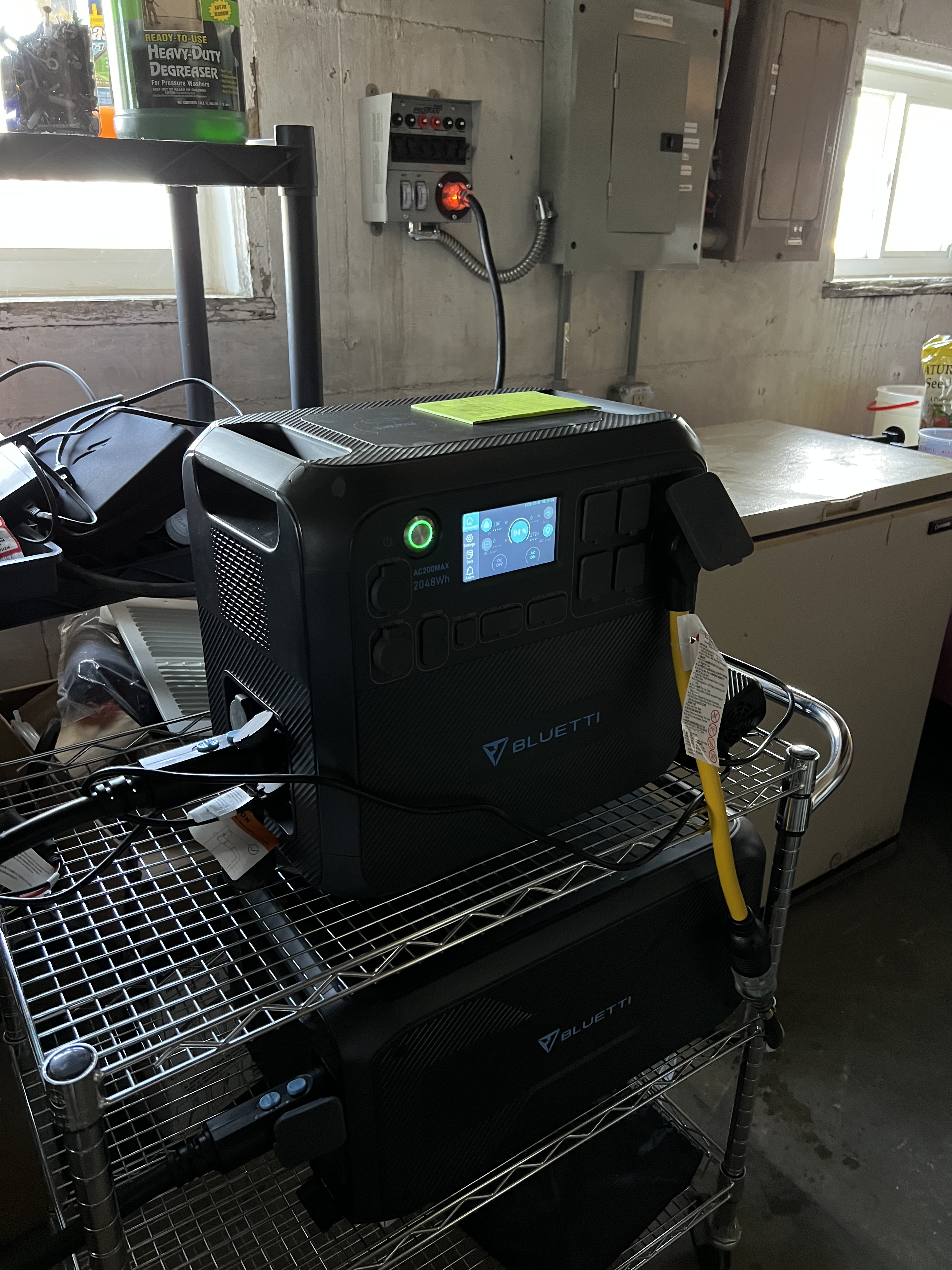
With the transfer switch set up I can change between grid power and the Blutetti with just the flip of a switch. And the transfer switch doesn’t care where it gets power from so I can plug in either the Bluetti or our big Generac gas powered generator.

Planning and Research Problems

If you’ve been following this discussion that started with the Bluetti solar generator thing you know MrsGF and I have decided to put in a relatively large solar power system that can handle much of our electrical needs. We aren’t going “off grid” as they call it because with the weather we get here in Wisconsin it would be difficult, even impossible, to rely on solar for all of our electrical needs. But we could make a significant dent in our electric bill if we manage to pull this off.

But there are problems.

Now we could do something like look at some of the “plug ‘n play” systems from Bluetti, Ecoflow, Generac and others but all of those have serious issues. When it comes to the solar generator people like Bluetti and Ecoflow, the problem is that while they have some pretty nice systems that are fairly easy to install that can handle almost the whole house, you’re locked into those companies for the entire lifetime of the system. You can only use their batteries, their accessories, their adaptors, etc. If something goes wrong with the system the only thing you can do is pack the whole thing up and ship it back to the company which will, maybe, you hope, fix it and maybe, you hope, actually ship it back to you and that it will actually work when it arrives. And that will take weeks at least, maybe even months. And during that time your entire solar energy system is shut down. And let’s be honest, all of the systems from those companies are breathtakingly overpriced when you look at what you actually get for your money.

There are problems with the big brand names like Generac and Tesla as well. Once again you’re at the mercy of a single vendor for all of your equipment. You might be lucky and be in an area that is served by an installer/dealer who can help you when something goes wrong, and something will go wrong eventually, but even so you’re still tied to a single vendor for everything. And even worse, the systems from these companies are eye wateringly expensive for what you get.

And then there are the problems with almost all of the commercial “solar contractors” out there.

If your goal is to gain some independence from the grid you aren’t going to get it from most of the commercial solar contractors out there. What most of them are selling are systems intended to generate power that is sold directly back to the utility, not to make you independent from the grid. They have little, if any, battery backup capability. And with a system like that you are entirely at the mercy of the utility company. They could decide tomorrow to change the rates, add in bogus “connection fees”, even shut you down entirely.

So if you want a system that gives you some independence from the grid, that doesn’t lock you into a single vendor who could very well disappear tomorrow, want to do it as economically as possible, and want a system that is relatively easy to repair when things go wrong, you’re pretty much stuck with trying to build it yourself.

Which brings me to…

The Great Solar System Build

Oh, brother, talk about hyperbole. Sheesh…

Over the next few weeks (or months, because I’m not only lazy I am also a procrastinator of the first order) I’m going to document in excruciating and incredibly boring detail our efforts to build a reasonably large home solar power system from the ground up, complete with system specifications and why we chose those specifications, the search for equipment, dealing with various vendors, issues with wiring and building codes, etc, etc, etc.

For those of you who find this kind of thing eye wateringly boring, well, you have my sympathy. So posts about the solar system will be prominently labeled with a GSSB tag in the title so you can skip those parts and just drop in to look at photos or read the other nonsense I babble about here.

New Email, Solar Panels, Last Bluetti Article

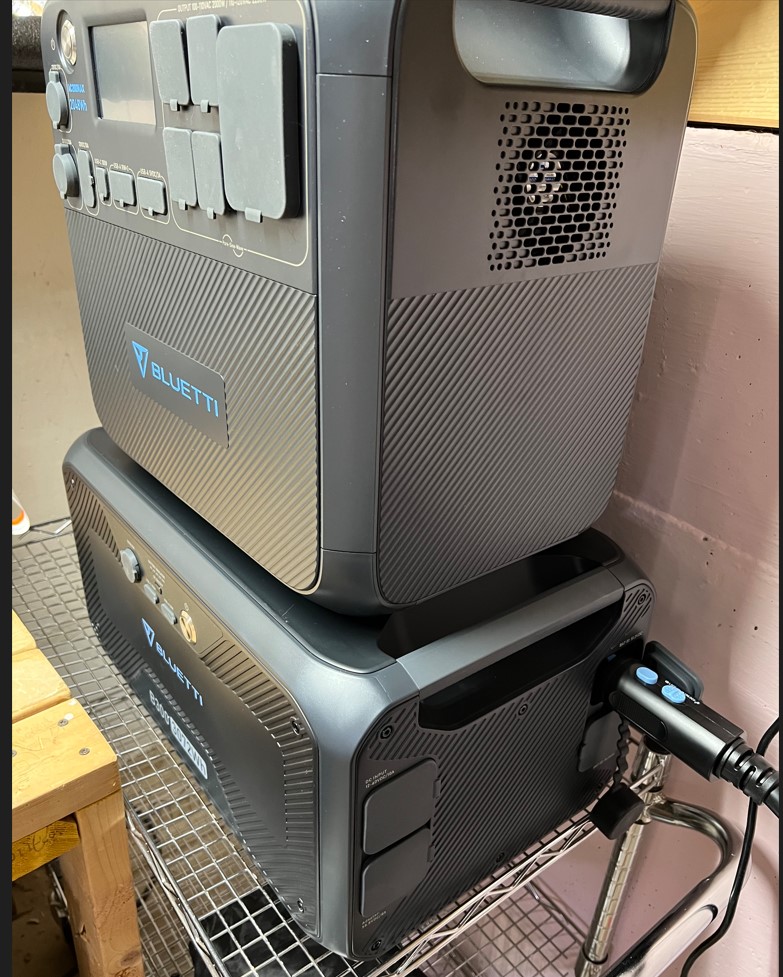
My AC200Max with a B300, 3,000Wh expansion battery

I want to do one last article about the Bluetti AC200Max before I move on to other things. I’ve been doing a lot of research into solar power systems, have my own solar power system up now, well, sort of, and I wanted to talk about trying to use one of these in an off-grid situation.

First, though, grouchyfarmer.com has a new email address. It is theoldgrouch@grouchyfarmer.com. If you have questions or comments about any of the stuff you see here or even suggestions for future articles you can reach me at that address.

Now let’s get on with what I hope will be the last Bluetti article for a while. I’ve tested this thing with one B300 3KWh expansion battery (you can add two of them) and it’s handled everything I’ve thrown at it. It is working exactly as advertised and I’m very pleased with it. With the extra cost B300 ($2,300) battery it now has 5KWh of power. Preliminary testing indicates that it could keep the furnace going for at least 24 hours, maybe as long as 36 hours. And it will keep our sump pumps going for 2 – 4 hours in heavy spring rains depending on weather conditions.

But one thing I didn’t talk about much was recharging this beast. 5 KWh is a hell of a lot of energy to pump into a battery pack and eventually this thing has to be recharged. That’s where I start to run into what could be potential bottlenecks for some people, especially someone trying to use this as their primary power supply in an off-grid situation.

It comes standard with a big AC charging brick that will put 450W into this unit to recharge it. That’s a lot, but this is also a massive battery which means it’s going to take a considerable amount of time to fill it up from empty. With my system it would take the AC charger alone more than 11 hours to fully recharge it. If I had the 2nd battery pack for a total of 8KWh it would take almost 18 hours to do a full charge. Frankly I think that’s woefully inadequate.

Now I could fudge and fiddle around. The B300 battery has its own AC charging port.I could get a second AC charger and dump another 450W into the battery independently of the AC200Max to get a total 0f 900W AC charging. That would bring the charge time for my 5KWh system down to about five and a half hours.

But they call these things “solar generators”. Where the hell is the solar part of all of this?

Well you generally don’t get the part that actually makes it a solar generator, the solar panels. Those are an extra cost option. Companies like Jackery and Bluetti will gladly sell you their own branded portable folding solar panels. For a price. A really, really big price. Generally two or three times what it would cost you to get the same wattage in generic panels you bought off Amazon or somewhere. Here’s an example.

Bluetti will sell you this:

That’s the PV350. It’s a folding panel intended for temporary use. It folds up into a nice neat package, gives you up to 350 watts of power to dump into your Bluetti, and from all the reviews I’ve seen of it, it is very, very nice.

But dear lord, that price!!! $850 for only 350 watts of power? Seriously? And I’d need two of these things because with just one of them it would take 15 hours to recharge my system. It’s winter here in Wisconsin. The days are short, the sun is low in the sky. We often have clouds. With just one of these panels it would take something like three days to fully charge my system in the winter. And that’s if I wasn’t using the system to power something. Even with two of these panels it would take me more than a day to recharge because I only get about 5-6 hours of usable sunlight a day this time of year.

So I did some shopping around and a great deal of research and finally came up with these:

That’s a set of 4, 100W panels from a company called HQST. So I could get two four panel sets for a total of 800 watts for $550, or I could get two PV350 for a total of 700W for $1,700.

Guess what I bought? Damn right. I may be crazy but I’m not stupid.

Yes, I know that’s only six. There’s a reason why I could only hook up six at first. Read on to find out what I ran into.

And the panels themselves are actually really nice. They’re well made, sturdy, small enough and light enough to be easy to handle. And best of all, they work pretty much exactly as the company claims they do. And I now have all 8 of them outside leaning up against the south side of my garage all hooked up and feeding power into the basement.

Hooking up solar panels is about as easy as it gets. Most of them come equipped with MP4 connectors that just snap together. It’s pretty much impossible to wire them wrong. They just daisy chain together in series, plug in the cable to go to the basement. The AC200Max comes with a pigtail that has MP4 connectors on one end to go to the solar panels, and a T90 connector on the other that plugs into the AC2ooMax. And that’s all there was to it. It took me less than half an hour to set up six panels, hook them together, run a cable into the basement, plug it into the Bluetti and start sucking up all that yummy free solar power.

Well, sort of. I ran into some limitations which kept me from using all 8 panels, but let me tell you about the realities of solar power first of all.

The first thing I learned is that I will almost never get the maximum rated power out of those solar panels. Oh, they don’t lie when they give you those numbers. But you need to remember that those ratings are done in a laboratory under ideal conditions. Conditions that you will almost never see out in the real world. Especially not in Wisconsin. In February. I had 600W of panels out there but the maximum I was getting out of them was about 400W, and that was only for a couple of hours around midday.

Still, the system was working. I tried running my office/radio shack/mad scientist’s lab in the basement off the Bluetti and feeding it power from the solar panels and it worked quite well. By about 9:30 in the morning those six panels were producing enough power to run my little office, about 240W, that would gradually go up during the day, peaking at midday around 400+ watts in perfect weather, then dwindle until about 3 when power production shrank to under 100W. I was running my office entirely off those panels alone for about 3 or four hours in good weather.

Why Only Six Panels

Okay, let’s deal with that situation. The AC200Max has a built in solar charge controller. It is rated at up to 900W, 145V, 15A. Those are the maximum numbers it can handle. If you exceed those inputs by more than a small amount either the system just won’t use the extra or, even worse, the charger will just shut down to protect itself.

So now we need to do some math. Don’t worry. It won’t hurt. Much.

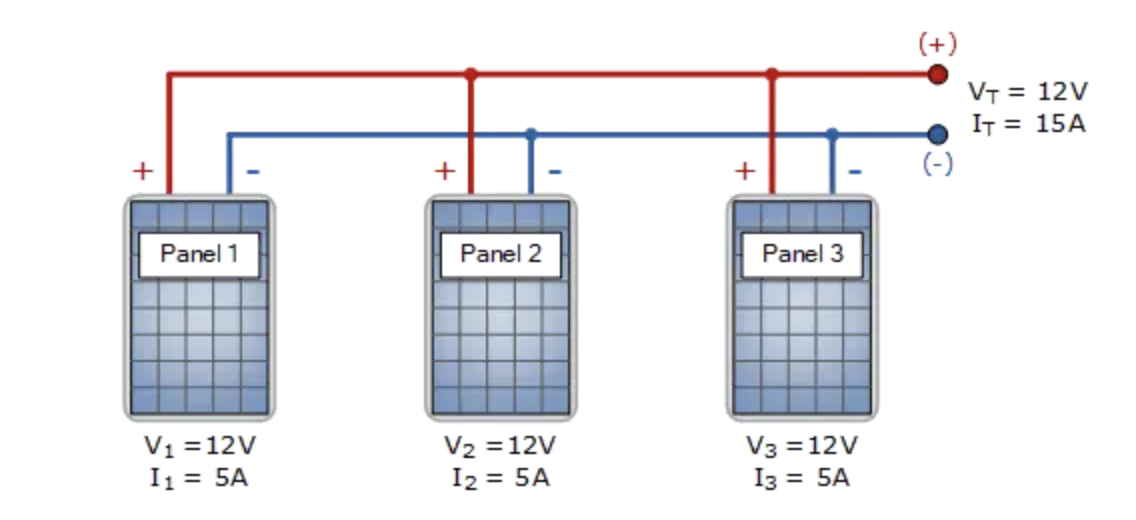
My panels were hooked in series, like in this diagram below.

It’s quick, it’s simple, and it works well. But as you can see from the diagram when panels are hooked together in series the voltage of each panel you add to the string is added to the voltage previous panels, and eventually you get to a voltage that the charge controller can’t handle.

My HQST panels have an open circuit voltage of 21.6. Six panels in series gives me a voltage of 129.6. The AC200max can handle 145V so that’s just fine. But if I add a seventh panel? 129.6+21.6=151.2. And 151V is over the 145V limit. So I can’t have more than 6 of these panels in series without going over the limit.

So how can I stuff more watts into this beastie without going over that limit? This is where parallel wiring comes along. Here’s another diagram for you to look at.

When connected in parallel, the amperage of each panel adds up, while the voltage stays the same. My panels have an amp rating of 5.5. So I could put two panels in parallel and remain under the 15A max rating of the Bluetti. In effect I’d have a single 200W panel producing just 21.6V at 11A, well within the Bluetti’s limitations.

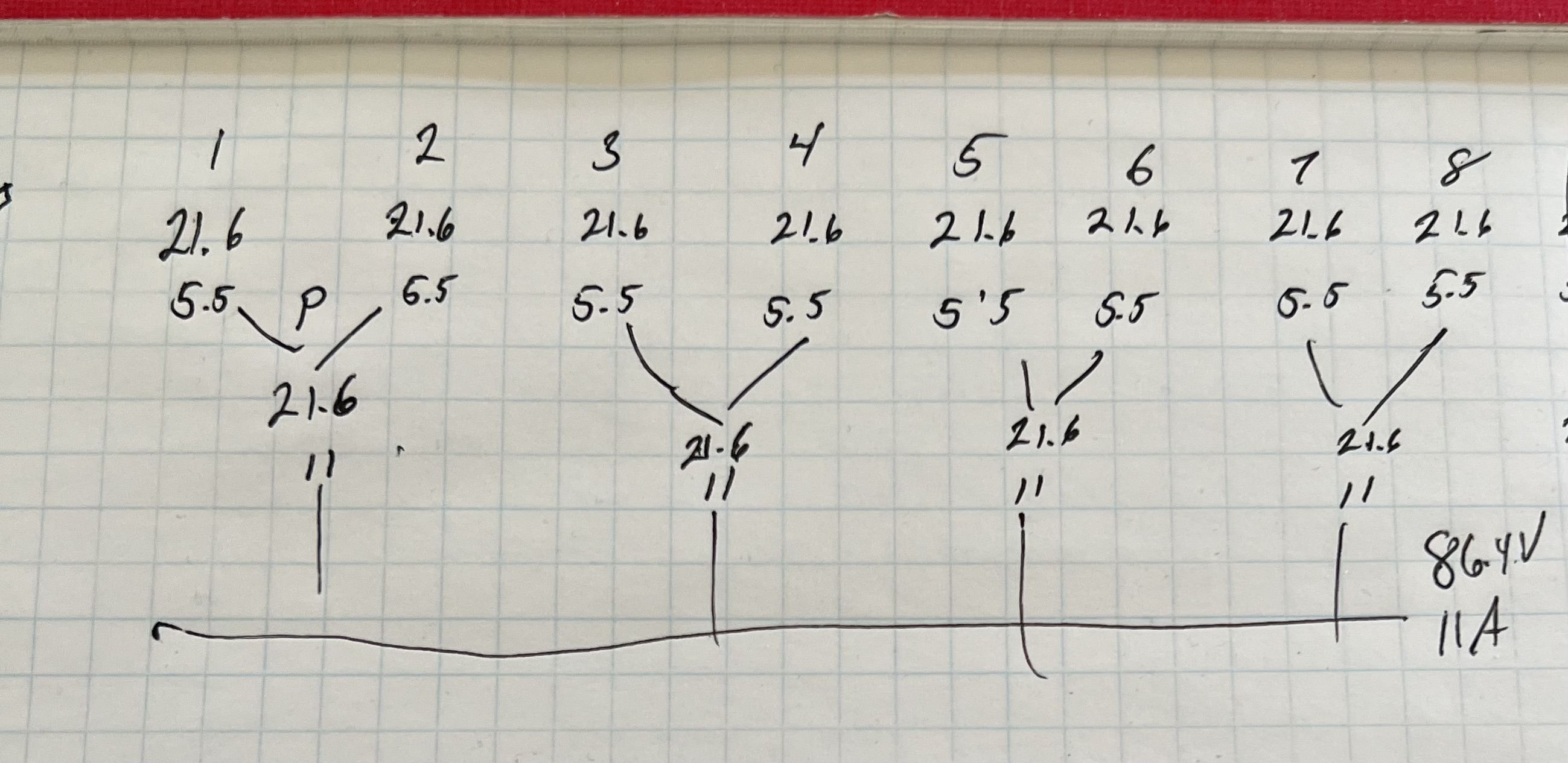
So I started doodling and came up with this.

I’d create 4 banks of two panels each connected in parallel. Each bank would have 21.6V and 11A. Then I’d connect all 4 banks in series. That would give me all 800 watts they could produce, I’d have a voltage of 86.4, and my amperage would be 11. Of course I didn’t have the right connectors to do that and I’d need some extra cable so it was off to Amazon and a few more bucks and a couple of days later that stuff arrived and I spent a half hour or so switching from series wiring to my parallel/series sketch, hooked everything up this morning.

Then the moment of truth came. I crossed my fingers, held my breath and plugged it into the Bluetti and… And it worked? Wait, it actually worked???

Yeah. It worked. I was getting about 80V, the amperage looked good and the watts coming in… Well okay I was only getting 80W but it was 7:30 in the morning and the panels were still mostly in shadow. By 9:30 they were making 300W and by noon I was getting between 650 – 700 watts! Damn, it works!

As I said before my conditions here for solar are far from ideal, so seeing those 800W of panels peaking at 700 watts at midday was very satisfying.

And on the charging side of things? If I were drawing no power at all from the Bluetti and could get a consistent 700W solar input I could charge my 5Kwh system in a bit over 7 hours, which isn’t … Well I was going to say it isn’t bad, and I suppose it isn’t absolutely horrible but I only get useable sunlight here for about 5 – 6 hours a day this time of year, so it would take me more than a day to recharge this thing.

The Problems With Going Off Grid

Now let’s talk about going off grid. If you start scrounging around on YouTube and places like that you’ll run into videos from people who claim you can use the AC200Max like mine to go off-grid, using it as your primary source of power to run a small house or cabin or whatever, and replenishing the power you use entirely with solar. I have the Bluetti with 5KWh of power stored in it. I have all those solar panels. Why not try to run part of the house off grid and see what happens? So I’ve been experimenting with running my office/radio shack/mad scientist’s lab off the AC200Max and keeping it charged with just solar. And I’ll tell you right up front that it ain’t gonna work. I’m sorry, but it isn’t. At least not in the real world. Not without having to resort to some kind of additional power inputs from either the traditional grid or a backup generator of some sort. The numbers just don’t work. I knew that even before I started the experiment but I decided to try it anyway just to get some real world experience with the system.

My office uses about 270W of power as long as I’m not using my laser engraver or other energy hog piece of equipment. Just to keep things simple let’s round that up to 300W. That means that if I run my office for 10 hours I’d use 3,000Wh, with 2,000Wh remaining in the Bluetti.

So it’s the morning of the next day. I need to recover that 3KWh of energy I used the previous day. I have 800W of solar power but that only peaks at about 700W. But that’s not too bad. 7ooW of solar going into the system would recover that 3KWh in a bit over 4 hours. Great.

Well, no, not so great. First of all I only get those 700 watts for an hour or maybe two, during midday. The rest of the time I’m getting much less than that.

Second, I’m still running my office off that system. I’m not going to shut down for 4 hours to recharge the batteries. So even as I’m trying to recharge it, I’m drawing 270W. Even if I were getting 700W of power out of the panels, I only have a net gain of 430W. Recovering 3,000Wh with an input of only 430W gives a time of about 7 hours.

And I only get about 5 hours of usable sunlight a day this time of year.

And that’s with a load of only 270W. If you’re trying to use this system as your primary source of power running a furnace, refrigerator, some lights, etc. you’re going to be drawing considerably more than that.

So as I said, the numbers just don’t add up. This time of year, with the conditions I have here, with the amount of daylight I have here, I am never, ever, going to be able to get ahead with the amount of energy my solar system puts out. Even if I could max out my solar and put together a system that would pump the 900W maximum into the Bluetti it wouldn’t work. That would give me a net gain of 630W, and I’d get 3KWh out of the system in about 5 hours. But that’s assuming I’d get all 900W for that entire 5 hour period. And I won’t. Not even close. Not in Wisconsin, in February. With the standard solar charging system in the Bluetti I simply cannot dump enough power into it, fast enough, to get ahead.

Is there a way I can fudge things? Well, yeah. Sort of. The B300 expansion battery has its own solar charger built into it. Granted it is a pathetically wimpy one, only able to handle 200W. Trying to charge a 3KWh battery with 20oW is sort of like trying to fill a bathtub with a teacup, but it’s better than nothing. And if I’d add that into the 900W theoretical max I could dump into the AC200Max: 900 + 200 = 1,100W. 1,100 – 270 = 830. I’d now have a net gain of 830W. That gets us down to a bit less than 4 hours to recharge my system.

Now I’m finally seeing some numbers that almost make sense. Well, in July. In February I only have 5 hours of usable sun and I’m not going to get anywhere near peak production so I’m still going to be running at a net loss most of the day.

Bluetti will sell you a gadget they call a DC charge enhancer for $200. That would let me dump up to another 500W of solar into the AC200Max through its AC charging port. I build myself a third solar panel system, this one with 500W. I plug that into the charge enhancer, and that plugs into the AC charging port of the AC200Max giving me another 500W. 900 into the AC200 +200 going into the B300 battery +500 going into the charge enhancer = 1,600. 1600 minus my power consumption, 270W gives me a net gain of 1,330W. Now I’m looking at recovering those 3,000W in about two and a half hours.

Now, finally, I’m seeing numbers that would let me get ahead of the game. Peak solar production is only for around 2 hours at midday. But that, together with producing a bit more solar than I’m consuming the rest of the 5-6 hours of useable daylight I have, might get me to the break even point or even a bit better.

But only at the cost of building two additional solar panel systems, that $200 DC charge enhancer, cables, connectors, etc. But it should work.

Well until you get a day like today where we have solid cloud cover and my 800 watts of solar panels are putting out a whopping 80 watts of power.

So could you go off grid with the AC200Max and a couple of the expansion batteries? Uh, well, maybe? If your total power consumption was less than about 5KWh or so per day, and if you max out solar production by building extra solar arrays and adding in the DC charge enhancer and if you had perfect weather conditions to max out solar production.

But out here in the real world? No. Not without having to resort to some kind of alternative power source like a gas generator to help along in bad weather or help to cover unexpected power demands.

This particular system is great at what it is intended for, which is being a relatively short term power replacement during grid failures or to provide power for an RV or camper. It is not intended for use as an off grid system, long term, primary power system.

One more bit about solar power systems before I shut down this discussion and get back to more important things like fiddling around with gardens and photography and plants or wood and stuff.

Bluetti, Ecoflow and a few other companies make absolutely massive power systems that are intended to provide power for almost an entire home for lengthy periods of time. Some of them offer up to 18KWh. Eighteen thousand watt hours of power. If you really want to go off grid should you consider one of those?

Frankly, no. Those massive beasts look tempting, even will give you true 240V split phase systems. But the prices are just as massive as the battery packs. We’re getting up into price ranges and amounts of power where you should be seriously considering contacting a professional solar system contractor. A fully loaded AC500 system from Bluetti is going to be pushing $15,000, and that’s without a solar system to keep it fed.

And here’s another thing to consider. There’s no reason why you couldn’t save yourself a lot of money and build your own. LiFePo batteries have really come down in price. You can get a 2KWh or larger LiFePo battery for less than $700. You can get inverters that will handle a heck of a lot more than the 2,000W version in my AC200Max. You can get solar charge controllers to handle just about any configuration of solar panels and batteries you can build. And you can put it together with all off the shelf parts. And you can do it for a heck of a lot less than these plug ‘n play systems from Ecoflow, Bluetti and the others.

I’m seriously considering doing just that, covering the south facing garage roof with a couple of kilowatts of solar panels, putting a bank of LiFePo batteries in, getting a big inverter, and setting up a separate power panel in the basement to feed selected circuits in the house.

Well, maybe. I keep forgetting how lazy I am…

Bluetti AC200Max Update: This Time It’s All Good!

So, I have good news, and I have good news. Very good for a change.

First, regarding Bluetti customer service: Not only did I get a positive response from the company’s regular customer service department that was actually helpful, this morning I got an email from an actual engineer at the company to discuss specifics about the problems I encountered. As noted before the voltage fluctuation problem went away by itself but they’re concerned about that light flickering and wanted specific information about the brand, model and other details about that light so they could look into it. That’s not a big issue though because I believe the problem is related to that particular model light and that one only. All the others I tested had no problems. I suspect it is an issue with the design of that light fixture.

So that makes me feel a lot better when it comes to customer service.

My solar panels arrived! I ordered 4, 100W panels from a company called HQST mainly because they were very cheap. And it turns out that not only were they very cheap, they’re very good as well. It took me all of about 10 minutes to set them up leaning against the backside of the garage, one of them shaded by that stupid bush out there. And at the moment I’m getting almost 300 watts out of them (hooked in series) If I didn’t have that one panel being partly shaded and had them at the right angle relative to the sun I’d be getting close to the full 400 watts out of them. So I’m enormously pleased with that too.

Right now I’m getting between 250 – 300 watts out of ’em. We have some intermittent high, thin clouds that shade them out a bit which is why there is the fluctuation in output. I’m drawing 190W in the office at the moment running my laptop with 2 monitors, stereo speakers and a few other things, so the panels are making about 100W more than what I’m consuming here in the office.

I tried dual charging the AC200 as well, charging with the AC200Max’s AC charger and the solar panels and it was happily sucking down about 750 – 800 watts from both sources at the same time.

So I am enormously pleased. (Squeals like small child)

Bluetti Review Update

So far so good, but there have been some curious issues so I thought I’d throw this out there quick.

I was looking at the thing sitting there the other day and I said to myself, Self, it’s kind of silly having that $2,000 box sitting there doing nothing possibly for months waiting for a power failure. You should do something with it.

So I did. I took my entire radioshack/office/mad scientist lab off-grid with it. Well, sort of off-grid. My solar panels haven’t arrived yet so I still have to charge the AC200MAX off the grid but I wanted to see if it would work, and yes, it did. Quite well, with a couple of glitches.

Making the switch over was simple because all of my sensitive electronics are all plugged into UPS systems that include meters that tell me many things about the power coming into them, brown out protection, surge protection, etc. (I very strongly urge people to always, always keep their electronic equipment plugged into one of these instead of plugging directly into the mains. I lost a very expensive gaming computer due to multiple brownouts/power surges during a storm a couple of years ago. These things aren’t cheap but they can keep you from losing thousands of dollars of equipment.)

So I unplugged the UPSs from the wall and plugged them into the Bluetti and, well, everything just worked just fine.

Then I noticed that the meter on one of the UPSs was showing the voltage coming out of the Bluetti was shifting +- 2 volts, about 118 VAC to 120VAC. That was curious.

Something odd going on with the inverter in the AC200? Bad plug on it maybe?

I switched the flickering UPS to a different plug on the Bluetti. Did the same thing. I plugged it into the wall outlet. It showed a stead 119V.

Hmmm…

I got out my meters and started checking things. My Fluke definitely showed that the AC coming out of the Bluetti was shifting +- 2 volts.

Now I should point out that a volt or two fluctuation in the current coming into my house from the grid happens rather often. In fact the electrical service coming into the house can go from a high 0f 122V to a low of 110V during the day.

That bothered me, though. I put the scope on the Bluetti and it showed the AC coming out was at a virtually perfect 60 Hertz sine wave, so that was okay.

I shut everything down. I started up the Bluetti again and the voltage fluctuation was still there. I did a ‘restore to factory defaults’ on the device and restarted it and tried it again. The fluctuation was still there.

And then later it just went away. I ran my entire office/lab/radioshack off it for two days, and the power fluctuations just went away. Why? No idea. Did it just need to, oh, stabilize somehow, to ‘burn in’? No idea. All I know is that all day yesterday the voltage coming out of the Buetti was an almost perfect 119V.

Then there was the light issue. I replaced the overhead fluorescent lights in there with LED versions a year or two ago. They give better light and use a fraction of the energy. I plugged one of those into the Bluetti and it flickered rapidly. Sigh…

I got out the meter again and expected to see the voltage fluctuation had gotten worse, but the meters were showing a solid 119V. I put the scope on it again. A perfect sine wave. Okay, now what was going on?

I plugged in a different LED light. That one worked perfectly. I scrounged up several more LED lights. All of them worked fine. Only my overhead tube lights flickered. As far as I can tell the problem is only with that specific light and no others.

Okay….

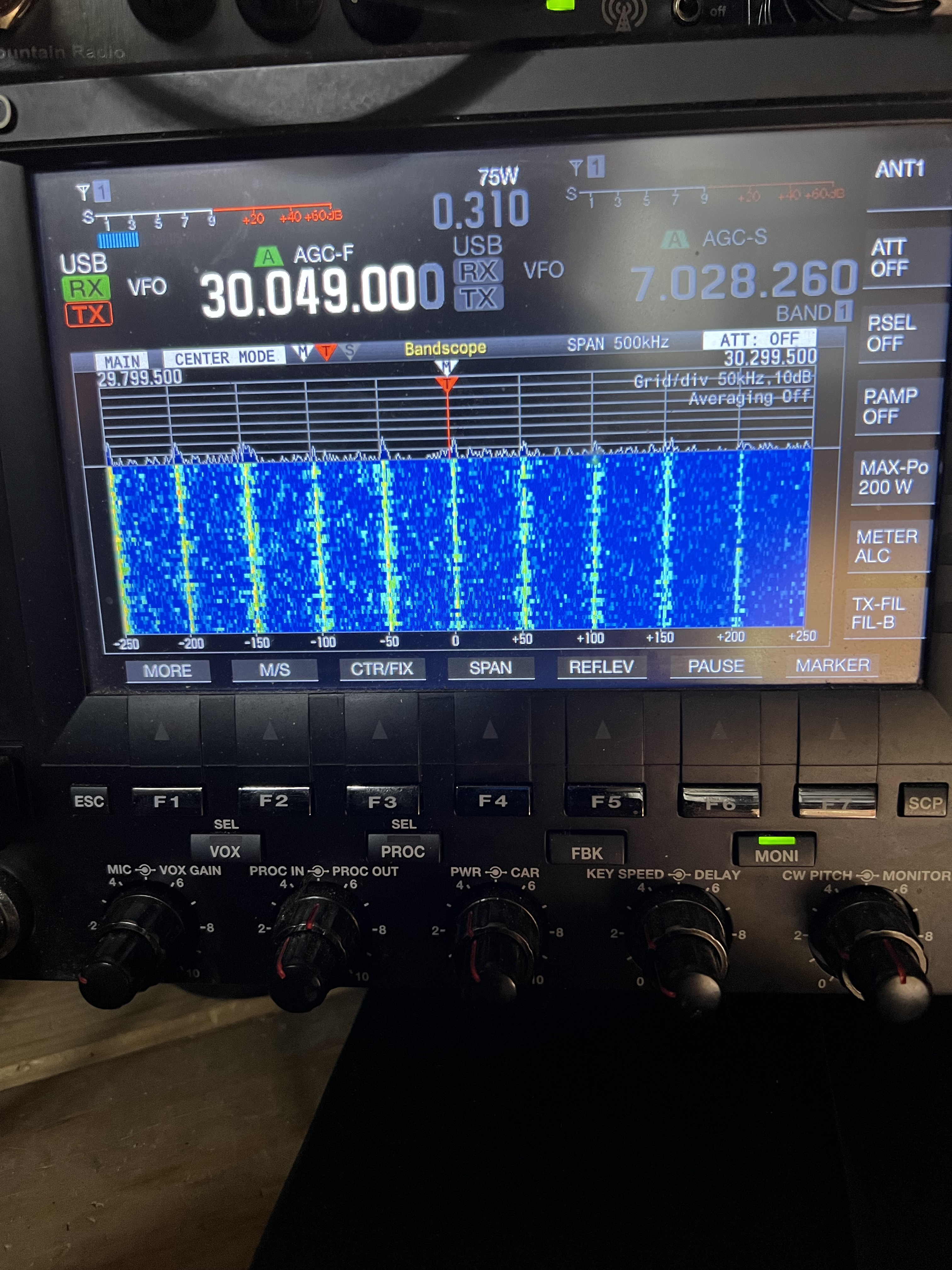
Now let’s talk about radio. I’m an amateur radio operator as you probably know if you’ve been reading this blog for a while. Solar power systems and these battery inverters can be troublesome when it comes to causing RFI (radio frequency interference). So I was anticipating some problems, and I found them. This is what the scope on my Kenwood TS-990 shows when I’m running it off the Bluetti.

See those vertical lines? Those are not supposed to be there. They represent spikes of radio interference that appear at regular intervals throughout almost the entire HF range.

Now if you’re an amateur radio operator and that image up there just sent you into a panic, it isn’t as bad as it looks. At least not in my particular case. Yes, those spikes are nasty, but with my particular AP200Max none of those spikes appear in any of the amateur radio bands. Whether that will be the case with other units I don’t know. But in my case the situation is tolerable.

There is some more or less generic RFI coming off the thing that seems, in my case anyway, to be concentrated on 40 meters. 30M was completely clear, no RFI at all. 20M was decent, 17, 15, 12, 10 meters were all good. On 40 there was some significant RFI but not enough to prevent me from operating. And engaging the noise blanker on the transceiver knocked a lot of that out.

What the RFI situation will be like once I hook in the solar panels, well, we’ll just have to wait and see. But if necessary I could run my whole radioshack off the Bluetti with very few problems.

I did send a complaint in to Bluetti describing the issues I had with the light flickering, the voltage fluctuations and the RFI issues, including that photo up there showing the RFI problem. I got a canned response back that they would respond within 48 hours, so we’ll see.

Overall the test running my office/radioshack was successful. I discovered that I actually use surprisingly little energy in there. Typically less than 300W, which rather surprised me because that’s including a gaming laptop, two monitors, the Kenwood TS-990, big stereo speakers and a few other goodies. I didn’t try running larger loads like my soldering equipment, the 3D printer or the laser engraver. And, of course, when actually transmitting with the TS-990 the wattage went up considerably.

Coming Up

I have 4, 100W solar panels coming that should be here by the end of the month. I picked the cheapest ones I could find and I’m not expecting much out of them, but it should be enough to be able to test charging the Bluetti off solar. Well, if we ever get sunlight, that is. My eventual goal is to get semi-permanent solar panels up on the garage roof, as much of it as I can afford and fit up there. The roof faces straight south and it is already at nearly the perfect angle, and that location should provide me with solar through almost the entire day now that the trees around the garage are gone. I’d like to get at least 800 – 1,200 watts of solar up there this year.

The other thing I did was buy one of the expansion batteries for the AC200Max, the 3,000Wh one. That should be here by the end of the month as well That will push the capacity of the system to up over 5,000 watt hours. So watch for a review of that in the near future.

Comments and questions are always welcome!

A Look At The Bluetti AC200MAX Portable Power Station

I want to talk about how to keep the lights on when the grid fails, something a lot of people were thinking about when that major winter storm rolled over much of the United States during the holidays and then when another hammered California and the southern part of the country, leaving millions of people without power, and sometimes even trapped in their homes.

This is going to be a two part series. I’m going to talk about the AC200MAX first because there are several people waiting for the review of this device. The second part is going to talk about these portable power systems in general, why you might want one, and most importantly how to determine how to properly size it to suit your needs without wasting money and, even worse, getting mislead by the advertising.

These things are often mislabeled “solar generators”, but they are neither solar nor generators. If you buy the almost always optional solar panels to recharge these devices you could make the argument they’re solar generators I suppose. But these devices by themselves are really energy storage devices. Basically they’re a big box of batteries.

Bluetti has been around for a few years now and its PPSs (portable power stations) are generally rated well in reviews and so far my experience with the one in the photo above has been completely positive.

The model I picked, the AC200MAX has a capacity of 2048 watt hours, and it can handle a maximum sustained load of 2,000 watts, and can handle brief surges in demand of up to 4,000 watts. It has a built in inverter that converts the batteries DC power to 120VAC. There are four standard 120 VAC plugs on the front. It also has a 30 Amp 120V NEMA TT-30 connector typically seen in RVs that would let it power an entire RV.

If you have a device that needs power, AC or DC, the Bluetti has enough plug ins of various types to handle just about anything you might need.

It also has a variety of DC power ports including USB-A 5V 3A, two USB A 18W ports, a 100W USB-C port, a DC 12V 10A cigarette lighter type plug in port, a DC 12V 30 Amp port, and as if that wasn’t enough, there are two wireless 15W charging pads for cellphones on the top of the box.

Basically this thing has just about every kind of power plug I’ve ever heard of. All of the outputs have overload and short circuit protection. And no, I did not test that. I’m not about to deliberately short circuit a device that cost me almost two grand just to see if the protection actually works.

The two top connector are for the optional additional battery packs that can be added to give the unit a capacity of up to about 8,500 Wh. The blue cap covers the plug for optional solar panels. The lower right is the connector for the 500 watt AC charger that comes with the unit.

On the lower left side of the unit are there are two connectors to hook up optional external battery packs. Up to two optional battery modules, either a 2048Wh ($1,300) or 3072Wh ($2,200) battery packs can be added to the unit to that can give it a total capacity of more than 8,000 Wh. And that, folks, is a hell of a lot of energy to be packed into that small of a space.

Also on the left side of the unit are the charging ports. You have several options here too for charging. The unit can be charged by, well, just about anything. It comes with a 500 watt charger for topping off the AC200 from the grid and it will charge up the unit reasonably quickly. The single AC charger will replenish the AC200MAX in about 5 – 6 hours.

There is also a DC input port intended for use with an optional solar charging system. There is a solar charge controller built into the AC200. That port can also be used to recharge the unit from a car with an optional cable (I’m not sure how long that would take but at least it’s an available option).

If that’s not enough options for you and you need to recharge the AC200 even faster, you can pick up a second 500 watt charger and with an optional cable charge the unit with two chargers at once, one plugged into the solar charging port. Or you can charge it at the same time from a solar panel system and the AC charger.

If you plan on getting solar panels for recharging the device it can handle up to 145V and 15.2 Amps maximum without the need for an external charge controller.

The manual claims you can recharge this thing by plugging a cable into a car’s cigarette lighter. Considering those things only put out about 120 watts, be prepared to wait a while to do a recharge. But still it’s an interesting feature that might be useful.

Physically, this thing is a beast. It is as large and heavy as my Yamaha 2KW gasoline powered inverter. It weighs in at about 60lbs, and the physical dimensions are around 17″ X 11″ X 15″. At 60 pounds you aren’t going to be casually carrying this thing around. If you end up getting the optional expansion battery packs this thing is going to be seriously heavy. But the weight and size is typical for portable power stations with this capacity.

Oh, and I should talk about the batteries. This unit uses LiFePO4 batteries. The manufacturer claims that after 3,500 charge cycles the batteries should still retain about 80% of their original capacity. That means you could recharge this thing every day for 10 years and still have 80% capacity left.

The touch screen is easy to read. In the “home” screen it shows the basic status of the unit. Here you can see that the AC outlets are turned on and that something is drawing 368 watts of energy, and it has 99% capacity left in the battery. It was running the house’s natural gas furnace when this photo was taken.

Now we come to the control systems. Just left of the screen is a big ON button. Push that and after a moment it will boot up and the color touch screen turns on. The screen not only displays all of the information you need, it is the primary control system for the unit.

Before you can use it you have to specifically turn on the DC and/or AC power systems to make the plugs “live”. But once you do that it’s ready to go and all you need to do is plug in whatever devices or appliances you need to power.

Other information is also available on various screens including load statistics, the ability to switch the system to handle European or Japanese electrical devices which use a different power system, and a few other goodies.

And there is a free app you can get for your phone that allows you to monitor what the Bluetti is doing. It is Bluetooth only, the device has no WiFi capabilities, so the range is limited. I was able to keep in touch with the Bluetti with my phone anywhere I was in the house, garage and even much of my backyard.

How well does it work?

If you thought all of the above was boring, you’re going to find the actual in-use evaluation of the Bluetti even more dull. It just works exactly as specified by the manufacturer. No drama, no problems, no issues, nothing. It just did everything it was supposed to do without any problems at all.

The primary use for mine is to provide backup power for two essential systems in the house, our gas furnace and our sump pumps. So that’s what I’ve been testing it on.

A gas furnace doesn’t use a lot of electricity, just enough to keep the thermostat system operating, which is minimal, and, of course, the blower fans. The actual heating is done by the combustion of natural gas. A natural gas furnace doesn’t use a great deal of electricity, generally in the 350 – 700 watt range. The electronic igniter that actually lights the gas uses some electricity of course. Rather a lot, in fact, but it works for such a short period of time that it isn’t that important.

My furnace was already set up to be used with our backup generator so I didn’t have to do any additional electrical work to make it possible to power the furnace alone. All I have to do was turn off the furnace, plug in a single electrical cable to switch from grid power to the Bluetti, and turn the furnace back on again.

Sidenote: I am going to give the usual disclaimer here. Consult with a licensed electrician before trying to make any modifications to your house’s electrical systems. Yes, I know house wiring isn’t that difficult to deal with, but unless you know what you’re doing you can end up in serious trouble or even dead if you screw something up. Then there is the legal issues to consider. A lot of jurisdictions require a licensed electrician to make any significant changes to a home’s electrical systems. There are also issues when it comes to your home owner’s insurance. If there is a fire in your home and subsequent investigation reveals that the home had electrical modifications that did not meet building codes or that were not performed by a licensed electrician the insurance company may refuse to cover the damage.

So, how did the Bluetti work while powering the furnace? Exactly as I expected it would. It handled the furnace easily with no issues at all. As my research indicated, the furnace required about 350 – 550 watts during operation. The wide range there is because this model furnace has a variable speed blower fan.

After 3 hours running the furnace the Bluetti still had 78% capacity left.

Once you know how much power a device draws, figuring out how long a battery system will run that device is pretty simple. The Bluetti has a bit more than 2,000 watt hour capacity so it should be able to run a device that needs, on average, about 400 watts, for about 5 hours. But that’s assuming that the device will be running all the time, and the furnace isn’t running constantly. The fans only run when the furnace’s burner is actually in use. On the day I did this test after 3 hours of operating the furnace the Bluetti still had 78% capacity, far better than I had anticipated.

So in actual testing, with those particular weather conditions, with the thermostat set at 67F degrees, the Bluetti should have been able to keep the furnace operating for around 12 hours.

Those numbers are under a specific set of conditions that could change quickly, of course. The weather was relatively mild with outdoor temperatures about 30F and very little wind. During colder weather and higher winds the furnace would run more often and for longer periods of time in order to maintain the temperature in the house. That, of course, would deplete the Bluetti more quickly.

The other intended use for the Bluetti is to keep the sump pumps going. We had part of the basement flood because of a sump pump failure here some years ago and we do not want to go through that again. I now have a backup pump on the shelf along with all of the tools and plumbing parts I need, and I changed the whole system so I can swap out a pump in just a few minutes. But in case of a power failure that isn’t going to do me any good. And since power failures often happen during storms when we’re getting heavy rain, they can happen at the worst possible time when we need the pumps the most.

Sump pumps require considerably more power than the furnace. The pumps I have require about 700 watts to run, but they run only intermittently. In addition to that load, there is a significant surge current when the pump first starts up, with can hit 1,300 watts for a few seconds.

I picked the capacity of the Bluetti specifically so it could, hopefully, handle both sump pumps at the same time. It can handle a current demand of up to 2,000 watts, sustained and the pumps together would take about 1,400. The PPS can handle a surge demand of over 4,000 watts. In a worst case scenario the two pumps might start at exactly the same time so there would be a momentary surge demand of about 2,600 watts. So it should be able to handle both pumps, at the same time, even if both pumps start at the same time.

I did test the Bluetti running the pumps. I already knew that because of the surge load and increased power requirements I would get much less actual runtime on the pumps than I would with the furnace. And I was a bit anxious about it being to able to run both pumps at the same time, especially if both started at exactly the same time. I’m pleased to report that it was able to handle both pumps with no problems. The Bluetti’s internal cooling fans did come on while running the pumps, but that was expected and normal.

During an actual rainstorm situation the Bluetti wouldn’t be able to keep both pumps running for more than an hour or so I estimate, but that’s all I need from it. I want it to give me some breathing room, carry the load for a while until I have a chance to get one of the gasoline generators running. My big Generac is cranky and hard to start sometimes, and even my little 2KW Yamaha inverter takes a while to get set up in a good location outside and run a cable down to the basement.

Could it run both of the pumps and the furnace at the same time? Well, maybe? That would be pushing the Bluetti to its full capacity, though. Theoretically it could. Total sustained demand running all three at the same time would be about 1,900 watts, maybe a bit more, really close to it’s top limit of 2,000 watts sustained load, and in a worst case scenario where both pumps and the furnace would start up at exactly the same time the surge load would be pushing the theoretical limits of the device’s maximum surge capacity.

Hopefully that won’t be necessary to deal with. Usually during the heating season the pumps don’t run at all. They’re generally only needed in the spring, summer and fall, and then only when we have a significant rain event.

Now, what about recharging this thing? At the moment I’m using the grid powered 500 watt charger that came with the unit. Bluetti will sell you solar panels that are capable of recharging this unit in a reasonable amount of time, but there are problems with that system. First it’s expensive, Buetti’s system will cost you $800+ for enough capacity. And even worse, these are portable, non-weather proof and not intended to be left outside. They can’t be left up in rain or snow. That’s not what I’m looking for. I want to set up a solar charging system that will be more or less a permanent installation that I don’t need to worry about. I’m still looking into that. I’ll probably set something up this spring when I can get outside to work.

So let’s sum everything up. The Bluetti AC200MAX is a very well made piece of equipment, it works exactly as advertised. I’ve encountered no problems at all with it during testing. It has met and even exceeded my expectations all the way around and I am very pleased with it. Yes, it’s heavy and awkward to lug around but so is any PPS with this capacity. It just plain works, and works well.

But…

This thing ain’t cheap, and this may be a deal breaker for a lot of people. The Bluetti model I’ve been talking about cost me, including taxes, $2,000. That’s a heck of a lot of money, especially when you can get a gasoline powered generator with the same capacity or even more for a quarter of that price. So before you buy one of these you need to consider all of your options and what your needs are.

In our case here, we feel it was worth the money even though we have gasoline powered generators. The Bluetti takes some of the panic out of the situation. If necessary it could keep the essentials, the furnace and pumps, running long enough to give me a chance to get one of the gas generators set up and running. And I was also thinking of MrsGF if I didn’t happen to be home when there was a power failure. There’s no way she could get the big Generac set up and running by herself and there’s a good chance she couldn’t get the little 2KW Yamaha running either. With the Bluetti all she has to do is turn it on and plug in some electrical cords and she has some time to figure out what to do. And she would have some, oh, buffer time, let’s call it, to possibly get out the little Yamaha generator and get it running to take over if the outage lasts more than a couple of hours.

Long Term Plans

I’m looking into a solar panel system to keep it charged but at this point I don’t know what that is going to be. I want something that can be semi-permanently mounted on the roof of the garage where it is out of the way and I don’t need to worry about it. I’m looking for a system that would give me a minimum of 800 – 1,000 watts and that would be easily expandable because I’m seriously considering trying to make at least some of the household independent of the grid, not for any particular reason but just because I want to.

I’m considering getting another PPS, not necessarily another Bluetti, and using that as the primary power source to run my entire combined office, radio shack, electronics work area, charged by solar panels on the roof and/or on the south facing wall of the garage. How far that project will go depends on how ambitious I get and what my budget looks like.

Comments and questions are always welcome.

Will Alexa Go Away?

I was promised a lot of things when I was a kid back in the 60s. I was told that I would have my own personal robot to serve me lunch. I was, they told me, going to be able to take a vacation on the moon or maybe even Mars. I was told I would have my very own flying car. I was told I would be able to fly from Chicago to Sydney Australia in an hour. I was told I’d have a talking computer that would understand human speech.

Only one of those things actually came true in my lifetime, the talking/listening computer that is generically called a “personal home assistant”, or specifically the Amazon Echo (often called Alexa after its wake word) and Google’s Assistant (sometimes referred to as Nest). I’m going to focus on the Echo because that’s the one I’m most familiar with.

These things are everywhere. Amazon has sold somewhere around 200+ million of these things. I think they sold about 70 million of them last year alone, and if sales trends continue it’s predicted the company will sell 130 million of them in 2025 alone. I know a lot of people don’t like them and are even suspicious of them. I mean we live in a world now where some poor woman ended up finding a photograph of herself sitting on a toilet that was taken by her vacuum cleaner ending up on the internet. But the fact remains that there are millions of these things out there and millions of people love them and even have come to depend on them for important reasons.

But there is a huge problem with the Echo and the others out there, and that is cost. Amazon sells these things at cost to keep the price down, and they are losing an absolute fortune. The company is losing billions of dollars on the Echo devices. The problem is that they require a massive and extremely expensive behind the scenes infrastructure to work. The devices themselves are, frankly, stupid. What makes them work are massive server farms, huge buildings packed with computers that do the actual work associated with operating these things. And Amazon hasn’t come up with a way to pay for any of it.

When the Echo program was conceived of, it was going to be a marketing tool. The Echo was going to be an advertising device and ordering system. It would remind you to buy coffee or dish soap or laundry detergent and you’d use the Echo to order more and things like that. Only it didn’t work out that way. In order to get people to accept these things into their homes Amazon had to make the a hell of a lot more useful than that. And they did too good of a job of it. They’re used as personal calendars, reminder devices, communications devices, entertainment devices, give reminders to take medication, play cooking videos, play fart noises, tell bad jokes.

And Amazon makes pretty much nothing off any of that.

Amazon makes huge amounts of money, true, but not even that company can afford to keep this going when it is losing literally billions of dollars on the project. The company has been laying off people working on the Echo devices and trying other cost cutting measures, but it’s losing billions and none of that is going to solve that problem.

I suspect Amazon would dearly love to shut down the whole program, but that would be a PR disaster. Despite the fact that a lot of people look at the devices with suspicion, a lot of people love the things, use them every day, and often use them in ways that help improve their health and safety. If Amazon were to just shut the whole thing down it would anger millions of people.

So what is the solution? Hey, don’t look at me.

Change is Good

When I start to get bored I start thinking about things and fiddling with things and you never know what I’m going to come up with. Once the weather got colder and I couldn’t get out in the gardens or on the bike I retreated to my little mad scientists laboratory down in the basement and started tinkering and thinking. This is not necessarily a good thing, but it keeps me out of MrsGF’s hair and keeps me from hanging around on street corners selling unlicensed cats. What emerged from this brainstorm was the Wowbagger 2000.

Sidenote: Wowbagger the Infinitely Prolonged was a minor character in the Hitchhiker’s Guide to the Galaxy series. His self appointed task was to insult every single person in the entire universe, in alphabetical order.

The Wowbagger 2000 is an insulting robot. It will, when fully developed, home in on a specific target, someone who deserves to be insulted, someone like, oh, Elon Musk, for example. I’m thinking of sending him the prototype when it’s finished. It will follow them around and at the most potentially embarrassing time, like when one is on the phone with one’s boss or mother in law or something, make snide, cutting remarks about the person’s physical appearance, mental capacity and/or family history. I figure the world needs something like this very badly. Unfortunately my Kickstarter campaign has resulted in a total investment of twelve cents and something that looks like a bit of fossilized chewing gum from the Milwaukee public transit system, so my budget for this project is severely limited.

I almost immediately ran into problems. Normally with a little project like this I’d reach for a Raspeberry Pi computer. These are very small, rather powerful Linux based computers that are extremely useful for little projects like this. I used to get a RaspPi for about $40. Not any more. When I went looking for one they were going for $250, and there was no way I was going to enrich the profiteering scalpers who trying to scam people. So I looked for a possible alternative and came up with the Arduino.

This is where the “change is good” thing comes in. Arduinos have been around for ages but they always seemed to be a bit limited in their abilities and inconvenient to work with. And they aren’t really computers.

Well, okay so technically they are computers, but I mean they aren’t designed to be used like you would use a desktop, laptop or even a RaspPi. Technically it is a microcontroller. It has lots and lots of addressable pins that can be used to control other things. to read data from sensors and things like that. They’re great for projects like robotics and remote sensing platforms like weather stations and things like that. Including a lot of stuff I used to use the RaspPi computers for.

And did I mention they were cheap? They are very, very cheap. I can pick up an Arduino Mega clone for around $15 and even the genuine Italian made ones aren’t all that much more. The cheapest RaspPi I can find is going for about $130. So, $130 compared to $15? Guess which one I bought.

Yeah, right. Well, bought more than one. I got about 8 of the things laying around now but never mind that.

I am now wishing I’d started tinkering with these things a long, long time ago. Yes, they can be awkward to work with. Yes, they are fairly limited when it comes to things like built in memory, speed and convenience. Yes, I need to write the code on a separate computer and download it. Yes, I have to write code in a variation of C++, a language which is, frankly, an abomination on the face of the Earth.

But my goodness they’re fun to play with.

Oh, and I should mention that because they are very popular, very cheap, and have been around for a very long time, there are a tone of add ons available for them that are very fun indeed. And cheap. Very cheap. I can pick up a full color, 3″ touch screen video display, with an SD card reader, for $15??? Seriously?

So I’ve been locked up in my lab (MrsGF lets me out for lunch) fiddling with these things and breadboarding things and puttering around and keeping the nice delivery companies in business shipping me resistors and capacitors and servomotors and stepper motors and even resorting to actually learning stuff.

And the result is…

Yes, the Wowbagger 2000 lives! With a full color touch screen for the display and user input. And it actually works????

Yeah, it works <evil grin>

Ham Radio Stuff: Its Alive!

It’s Alive! (Cue evil laughter)

Way back in October we had a nasty thunderstorm roll through here that did some damage here. My much patched and cobbled together OCFD (off center fed dipole) antenna had come down again, my Gap Titan vertical had some minor damage to some of the vertical elements. All of my radio equipment was just fine but the storm did take out my primary computer down in the office/shop/radio shack/mad scientist lab. It’s power supply couldn’t deal with the rapidly fluctuating voltage fluctuations that included brown outs, surges and complete blackouts. We had a dozen or more of those in the space of just a few minutes. It didn’t actually start on fire but it sure did smell funny. And I lost two large capacity external hard drives as well. Fortunately all that data was backed up.

That computer was already giving some odd errors that seemed to indicate that the SSD was having problems and that the main memory might be going bad, so I already had a new replacement computer set up on the other workbench ready to go. I set up the new computer, started replacing all of the software that had been installed on the old one, got two new 10 TB external hard drives to replace the ones that had been lost, copied all my data back to those from the RAID array on the iMac up in the main office, recovered all of my photos from “the cloud” where they are backed up (they’re also backed up to two small, portable 1TB hard drives that are only connected to the system for backups. I don’t want to risk losing thousands of photos so I have a triple backup system, the cloud, plus two separate external hard drives. That may be paranoid but I know one person who lost all of her family photos and videos, all of the images of her kids, her late parents, everything. Ever since that happened to her I’ve been paranoid about backing up everything.).

Then I looked at my radio gear and, well, dear lord, what a mess. Everything was hooked up in haphazard fashion, cables were running everywhere, most of them unlabeled, it was almost impossible to reach the physical controls of the transceiver or anything else. I decided all of it needed to be torn down and set up to make it neater and easier to work with. So I took everything apart, cleared off the space on the bench where I was going to set it all back up and…

Well, thanks to procrastination, sheer laziness, and getting involved in other things for a time, it’s only just now, months later, that I have everything back up. A week ago we had some really nice weather with temps up around 60 so I spent the entire day outside fiddling with antennas. I got the vertical straightened out, mostly. I took down what was left of my old OCFD antenna and spent a large part of the afternoon climbing about 20 feet up two different trees to anchor the end points of the new OCFD (A Buckmaster that I picked up somewhere.) Then was up the ladder at the end of the garage to hang the massive balun that’s used to feed the antenna. That’s up at the peak of the garage roof. Good thing MrsGF wasn’t around that day or she’d have freaked seeing me up those trees and that ladder…

To make a long story a bit less long, here’s what the new setup looks like.

The wiring has been straightened out, I can actually reach all of the controls I need to reach. I finally have space to put my iambic paddle, that’s the chrome thing in front of the speaker with the red paddle like things on it. It’s used for sending morse code (CW). I have the Palstar tuner sitting up on an old monitor stand bolted to the bench, the amplifier is perched on a stand above the transceiver where I can reach it easily. Everything is now arranged so I can operate everything easily.

Then there was the software… These days it seems computers are everywhere and amateur radio is no different. A lot of what we do in amateur radio is now intimately linked to computers of one type or another.

The most important bit of software for me is Ham Radio Deluxe. Yes, I know, once upon a time I was not pleased with HRD and I made that fact known in posts here in the past. There was even a nasty scandal involving a one or more persons in customer support that I will not get into. That’s all changed. In the last few years HRD has worked very, very hard to fix the problems with the software and to improve customer support and HRD has become my primary piece of software not only for running the transceiver but also for logging contacts and operating in digital modes like PSK.

Downloading, installing and setting up HRD only took a few minutes. But then there was the question of the log of the contacts I’d made in the past. I lost the contact log I’d been keeping in HRD when the computer blew and, of course, I had neglected to make a backup. QRZ to the rescue. I’d had HRD set up to send all of my contact information to my log on QRZ.com. Downloading my log from QRZ and importing it into HRD only took a few minutes.

Getting some of the other software working was considerably more difficult but eventually I got all that working as well and I was back on the air.

I still have one issue I need to deal with and that’s Logbook of the World, LOTW. That’s the ARRL’s system of confirming contacts with other amateur radio operators. I log all of my contacts to QRZ.COM, eQSL, and LOTW. Those are ways of confirming to other amateur radio operators that a contact has actually been made. Personally I don’t care if I get a confirmation or not. But some people do because they’re trying to get certificates for specific achievements like having made contacts in all 50 states, or for various contests and things like that, and those contacts are confirmed by some service like LOTW or EQSL. One of the neat things HRD does is it will automatically upload contacts I make to all three services without me having to mess around with it. EQSL and QRZ both work just fine, but LOTW is a different story. It just doesn’t work and the error messages I’ve been getting don’t tell me exactly what the problem is. Until I can figure that out logging to LOTW is not going to be used. And since I don’t use it personally and don’t really like it in the first place, getting it working is going to be a low priority item.

Anyway, the system is back up and running and working. I even made a couple of contacts in North Carolina as soon as I had the antennas finished.